EasyManua.ls Logo

Avital 6276 - User Manual

Avital 6276
94 pages
Print Icon
To Next Page IconTo Next Page
Loading...
USER GUIDE
6276ET-M01A4
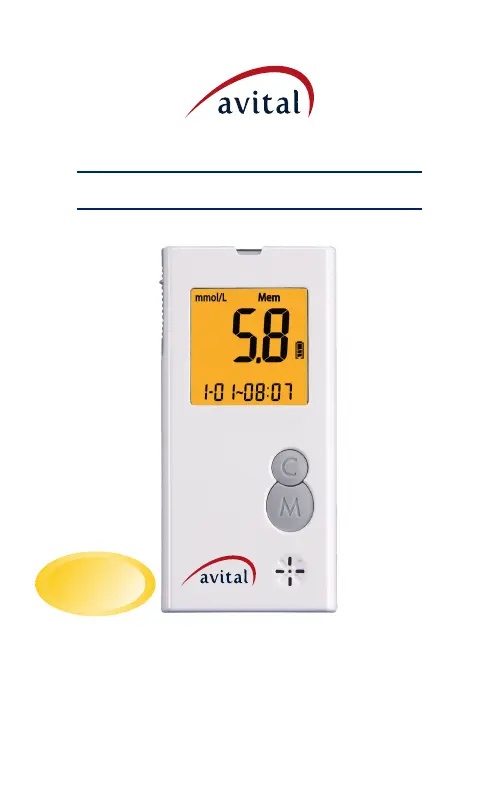
Blood Glucose Monitoring System
Model:6276
Rev.date:06/2016
Avital 6276
No Coding
Required

Table of Contents

Questions and Answers

Summary

Explanation of symbols

Device Symbols and Meanings

Explains the various symbols used on the Avital 6276 meter and its packaging for user guidance.

Manual Scope and Purpose

A notice advising readers that this manual is written specifically for the Avital 6276 meter.

Introduction to the System

Intended Use and Indications

Defines the purpose and target users for the Avital 6276 Blood Glucose Monitoring System.

System Components Overview

Lists the components included in the Avital 6276 Blood Glucose Monitoring System package.

Appearance and Key Functions of the Meter

Meter Components and Their Functions

Details the physical parts of the Avital 6276 meter and their specific functions for operation.

Alternate Site Testing (AST)

Understanding Alternate Site Testing

Explains Alternate Site Testing (AST), its advantages, and when it is appropriate to use it for testing.

AST Testing Procedure

Step-by-step instructions for performing blood glucose tests using Alternate Site Testing (AST).

Safety Information

General Safety Precautions

Provides essential safety guidelines and warnings for using the Avital 6276 Blood Glucose Monitoring System.

Quick Testing Instructions

Performing a Quick Blood Glucose Test

Outlines the essential steps for performing a rapid blood glucose test with the meter.

Installing the Battery

Battery Installation and Replacement

Instructions for correctly installing and replacing the batteries in the Avital 6276 meter.

Settings: Date, Time, Alarm, Memory, Volume

Configuring Meter Settings

Guides users on how to set the date, time, alarm, and manage memory on the meter.

Running a Control Solution Test

Control Solution Test Procedure

Step-by-step guide for performing a control solution test to verify meter and strip performance.

Running a Blood Glucose Test

Blood Glucose Testing Procedure

Detailed instructions for performing a blood glucose test using the Avital 6276 meter and lancet.

Recalling Memory and Viewing Averages

Accessing Stored Test Results

Explains how to recall past test results and view average glucose levels from the meter's memory.

Expected Values Reference

Normal Blood Glucose Levels

Provides reference values for normal blood glucose levels for adults before and after meals.

Performance Evaluation Data

Accuracy, Precision, and User Performance

Presents data on the meter's accuracy, precision, and performance evaluated by users.

Transmitting Results

Transferring Test Results to PC

Instructions on how to transfer stored blood glucose test results from the meter to a personal computer.

Maintenance of Your System

Meter Care and Cleaning

Guidelines for proper care, cleaning, storage, and handling of the Avital 6276 glucose meter.

Troubleshooting

Error Messages and Solutions

Lists common error messages displayed by the meter and provides corresponding troubleshooting steps.

Customer Service

Support Contact Information

Provides contact details for customer support and inquiries regarding the Avital 6276 system.

Limitations

Usage Restrictions and Interference

Details factors that may affect test results or limit the use of the Avital 6276 meter.

Specifications

Device Technical Specifications

Lists technical specifications, measurement range, operating conditions, and certifications of the Avital 6276 meter.

Ordering Supplies

How to Order Meter Supplies

Information on how to order replacement test strips and other supplies for the Avital 6276 system.

Warranty Information

Meter Warranty Coverage

Outlines the warranty period and terms for the Avital 6276 Glucose Meter.

Avital 6276 Specifications

General IconGeneral
BrandAvital
Model6276
CategoryBlood Glucose Meter
LanguageEnglish