
 Need help?
Do you have a question about the AVIVA ACCU-CHEK and is the answer not in the manual?
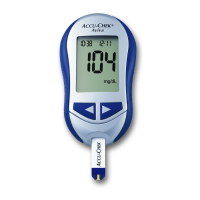
Provides an overview of the meter's components, display, and buttons.
Instructions for inserting and changing the code key for meter calibration.
Guidelines for proper handling and storage of test strips for accurate results.
Explains the importance of control tests for verifying meter and strip accuracy.
Step-by-step instructions for performing a control test using control solutions.
How to interpret control test results by comparing them to acceptable ranges.
Instructions for using the lancet device and its components like drums and caps.
Detailed procedure for performing a blood sugar test using fingertip blood.
Procedure for testing blood sugar from alternative sites like palm or forearm.
Guidance on interpreting blood glucose readings and what they signify.
Information on storing, reviewing, and managing test results in the meter's memory.
Guide to personalizing meter settings like time, date, beeper, and reminders.
Steps to transfer stored test data from the meter to a computer.
Instructions for safely replacing the meter's battery.
Guidelines for cleaning the meter and its lancet device.
Explanation of meter error messages and how to resolve common issues.
Technical details and performance characteristics of the ACCU-CHEK Aviva meter.
Details of the meter's warranty coverage, terms, and conditions.
Guidance for medical professionals on recommending and using the device.
 General
| Measurement Range | 10-600 mg/dL |
|---|---|
| Sample Size | 0.6 µL |
| Test Time | 5 seconds |
| Battery Life | Approximately 1000 tests |
| Automatic Coding | Yes |
| Memory Capacity | 500 test results |
| Battery Type | CR2032 |
| Dimensions | 94 x 52 x 21 mm |
| Weight | 59 g with battery |
| Connectivity | Infrared |

 To Next Page