11
Using AC Output
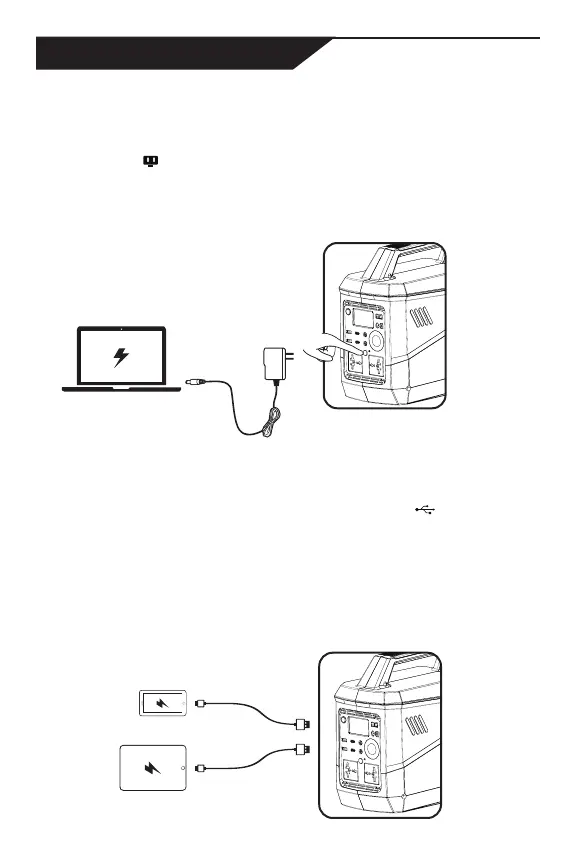
Press AC output button, LED indicator is on and the AC
output icon ( ) on the LCD screen will be activated, then
you can charge your devices. When you finish using, press
AC output button to turn off the AC output. The interval time
between pressing AC output button on/off should not be less
than 5 seconds.
Using 5V Output
USB outputs can be used directly to charge your devices. When
the aviva L780 detects the load, the USB icon (
) on the LCD
screen will be activated.
The aviva L780 has both USB-A and Type-C ports, that
can recharge a variety of devices. Please see the technical
specification for output parameters in Page 8. Note different
USB ports are not allowed to connect/modify in parallel for use.
HOW TO CHARGE


 To Next Page