10
Using the aviva L780
When battery capacity is below 5%, all the outputs (including
AC, USB-A, Type-C, DC 12V, and DC Auto Output) will be
automatically disabled.
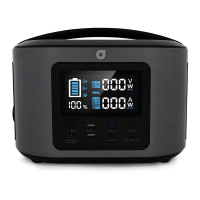
When DC is in use or AC is on, the discharging indicator on
the right side of LCD screen remains rotating ( ).
Power On
Long press for 3 seconds to switch on the aviva L780, it will
start initial self-checking. During the process, all the icons on
the LCD screen will be activated. The LCD screen will turn to
normal display if all functions are normal.
Power Off
When usage is complete, power off the unit by following these
steps:
1) Remove all the connected cables and loads;
2) Press to turn off the AC output, and the LED indicator will
be off;
3) Long press the AC button to turn off power. The LED
indicator light will then power off;
4) Low battery automatic shutdown.
GENERAL INFORMATION


 To Next Page