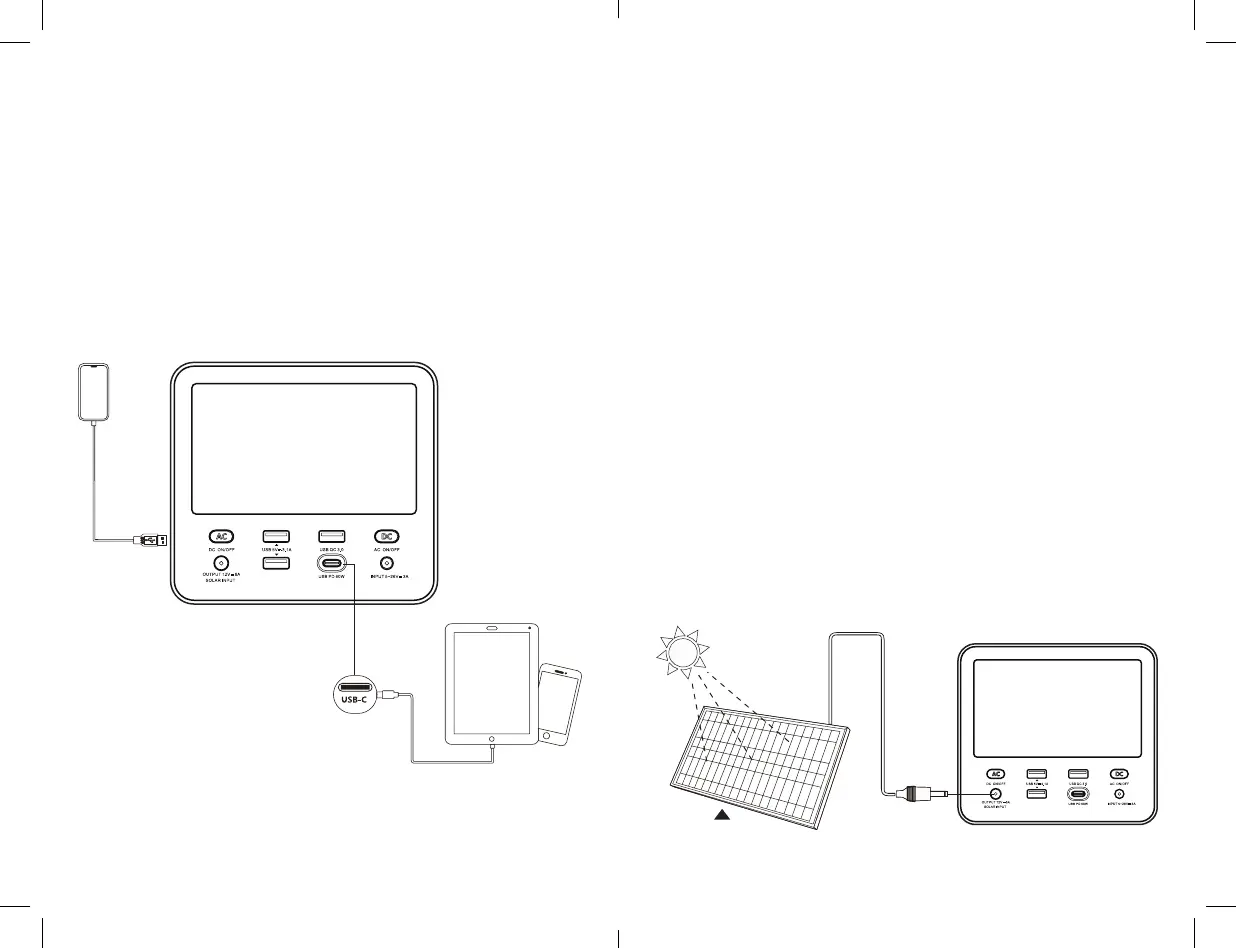
Fast Charging from a USB-C Wall Charger
Using the included USB-C cable, plug into the 60W USB-C
Power Delivery port and attach into a compatible third-party
USB-C wall charger. Plug your charger into a household wall
outlet. When charging your AVIVA you will notice a flashing
light in the Info Display, indicating that it is charging. Once fully
charged, the battery display indicator will read 100%.
Charging from Solar Panel
IMPORTANT NOTICE: When solar recharging your AVIVA
M470, pay attention to the voltages of the solar panels and
do not exceed 18V. Exceeding 18V is not compatible and can
cause serious damage to the unit.
The AVIVA M470v solar charging port is a DC6530 with a 6.5mm
port and is designed to work with compatible solar panels up
to 100W of solar. Solar panels with 18V typically range in 40
Watts to 100 Watts.
Position your solar panel where it will get as much direct
sunlight as possible.
Insert the solar panel plug into the DC6530 port of. At
the same time, press and hold the DC button for 1 second
to activate the DC6530 port. You will know the AVIVA is
charging when the icon is flashing on the display. The
AVIVA is fully charged when the battery display indicator
reads 100%.
Some solar panels are chainable to provide more power
to your AVIVA and reduce solar charge times. Note, the
maximum solar AVIVA S180 is capable of taking in is 100W.
1.
2.
3.
[ Input ]
DC13V-20V/8A
[ front view ]
12 13


 To Next Page
 Loading...