EasyManua.ls Logo

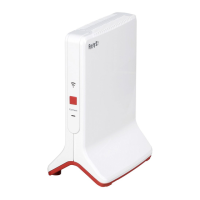
AVM FRITZ!Repeater 1200 AX - User Manual

AVM FRITZ!Repeater 1200 AX
176 pages
Go to English
Print Icon
To Next Page IconTo Next Page
Loading...
Bedienungsanleitung - Produkt 1:
AVM FRITZ!Repeater 1200 AX International, Wi-Fi 6 Mesh
Repeater, bis zu 2.400 MBit/s (5 GHz) & bis zu 600 MBit/s (2,4
GHz), WLAN-Access Point, WPS, internationale Version
Bedienungsanleitung - Produkt 2:
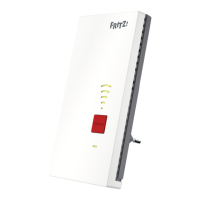
AVM FRITZ!WLAN Mesh Repeater 600 (WLAN N bis zu 600
MBit/s (2,4 GHz), WPS, kompakte Bauweise, deutschsprachige
Version)

Questions and Answers

  • A
    Amanda LeeAug 25, 2025
    What to do if AVM FRITZ 1200 AX Repeater cannot establish a wireless LAN connection to another wireless router?
    • S
      sheliamorganAug 25, 2025
      If a wireless LAN connection to another wireless router cannot be established, it may be due to the following reasons: * The MAC address filter of the wireless router is enabled. You should disable the wireless router’s MAC address filter. After establishing the wireless connection you can disable the MAC address filter again. * Unsuitable wire­less encryption is configured in the wireless router. Enable the encryption method WPA2 (CCMP) or WPA (TKIP) in the wireless router.
  • G
    Gary BakerNov 9, 2025
    Why can't I establish a wireless LAN connection to my AVM FRITZ 1200 AX Repeater FRITZ!Box?
    • L
      Larry FrazierNov 9, 2025
      A wireless LAN connection to the FRITZ!Box may fail for several reasons: * The keylock of the FRITZ!Box might be enabled. To resolve this, disable the keylock in the FRITZ!Box user interface (http://fritz.box) under “System / Buttons and LEDs.” * WPS might be switched off in the FRITZ!Box. Enable the settings “WPS enabled” and “Push-Button method (WPS-PBC)” in the FRITZ!Box. * The MAC address filter of the FRITZ!Box might be enabled. Enable the “Allow all new wireless devices” setting in the FRITZ!Box, located under “Wireless / Security” or “Wireless / Radio Network” in the user interface (http://fritz.box). Ensure the Advanced view is enabled. * WPS might be switched off in the FRITZ!Box. Enable the settings “WPS enabled” and “Push-Button method (WPS-PBC)” in the FRITZ!Box, found...

AVM FRITZ!Repeater 1200 AX Specifications

General IconGeneral
Wi-Fi StandardWi-Fi 6 (802.11ax)
Frequency Bands2.4 GHz and 5 GHz
LAN Ports1 x Gigabit Ethernet
Mesh SupportYes
WPSYes
SecurityWPA3, WPA2, WPA
Power Supply230 V, 50 Hz
Weight160 g
MIMO2x2 MIMO
Power ConsumptionApprox. 6 watts
Wireless SpeedUp to 3, 000 Mbit/s (2, 400 Mbit/s / 5 GHz + 600 Mbit/s / 2.4 GHz)

Related product manuals