4 AutoView 1000R/ AutoView 2000R Installer/User Guide
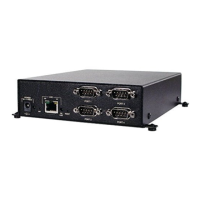
The AVRIQ-SRL (serial) module is a DCE device that provides the primary
interface between a serial device and the AutoView 1000R/2000R appliance. It
provides VT100 terminal emulation, break suppression and port history in a
convenient module format. The AVRIQ-SRL is compatible with the ARI ports of
the AutoView 1000R/2000R appliance. See Appendix B for more information on
the AVRIQ-SRL module.
Access via network connection
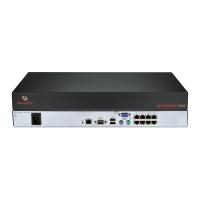
No special software or drivers are required on the attached computers. Remote
users access the AutoView 1000R/2000R and all attached systems via Ethernet
from a PC running AVWorks
™
. This software resides on the user’s PC only. User
PCs can be located anywhere a valid network connection exists. The AutoView
1000R/2000R can be configured on a separate network from your data network,
allowing access to your servers even if your applications network is down.
Point and click control with AVWorks software
The AVWorks software is a cross-platform management application that allows
you to view and control the AutoView 1000R/2000R and all attached servers.
The AVWorks software provides secure authentication, data transfers and
username/ password storage. By utilizing a browser interface for navigation
with an intuitive split-screen interface, this software provides you with a single
point of access for your entire system. From here, you can manage the
AutoView 1000R/2000R, install a new AutoView 1000R/2000R or launch a video
session to a system server. Multiple servers can be accessed by one user; each
additional computer’s video will appear in a separate program window.
NOTE: Throughout the documentation and AVWorks user interface, you will see the word
“ appliance” used generically to describe the AutoView 1000R/2000R switch.


 To Next Page
 Loading...