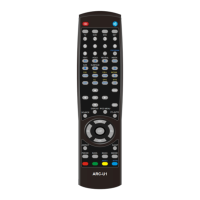
AVOL Universal Remote Controller
- 3 -
Allow to release one button during search. If two buttons are both released, then it will exit after
saving the codes.
If press two buttons all the time, then the current device indicators will flash by four times after a
whole search, and then will exit search without saving the codes.
III. Manual Search
1. Press and hold the corresponding set button(if you want to set up the device of TV, then press “TV”
button as set button,) until the current device indicator light lights(about 3secs), then release the
current device button. [Or press “SET” button + the corresponding device button at the same
time, for example, TV, then the current device indicator light lights.]
2. Press and release [CH+] (or [CH-] )button repeatly. Every press means sending out one set of
datas of power buttons, and the current device indicator light flashes simultaneously.
3. When the current device has some action(such as TV is power off), release the two buttons when
you pressed and saved the code by pressing “SET” button to exit the searching status. The
indicator light will turn off.
Attn:
[CH-] means to search forward, [CH+] backforward.
There is no action when pressing buttons except [SET]、[OK] 、[ENTER] or device buttons during
search period.
Entering the status of set up, it will exit automatically if no buttons pressed during 15secs by the
indicator light flasing four times.
The search field can circuit infinitely.
IV. Auto Search
1. Press and hold the corresponding set button (if you want to set up the device of TV, then press “TV”
button as set button,) until the current device indicator light lights (about 3secs), then release the
current device button. [Or press “SET” button + the corresponding device button at the same
time, for example, TV, then the current device indicator light lights.]
2. Press and release “POWER” button, then the programme sends out one set of datas of power
buttons every 1.5secs, and the current device indicator light flashes simultaneously.


 To Next Page