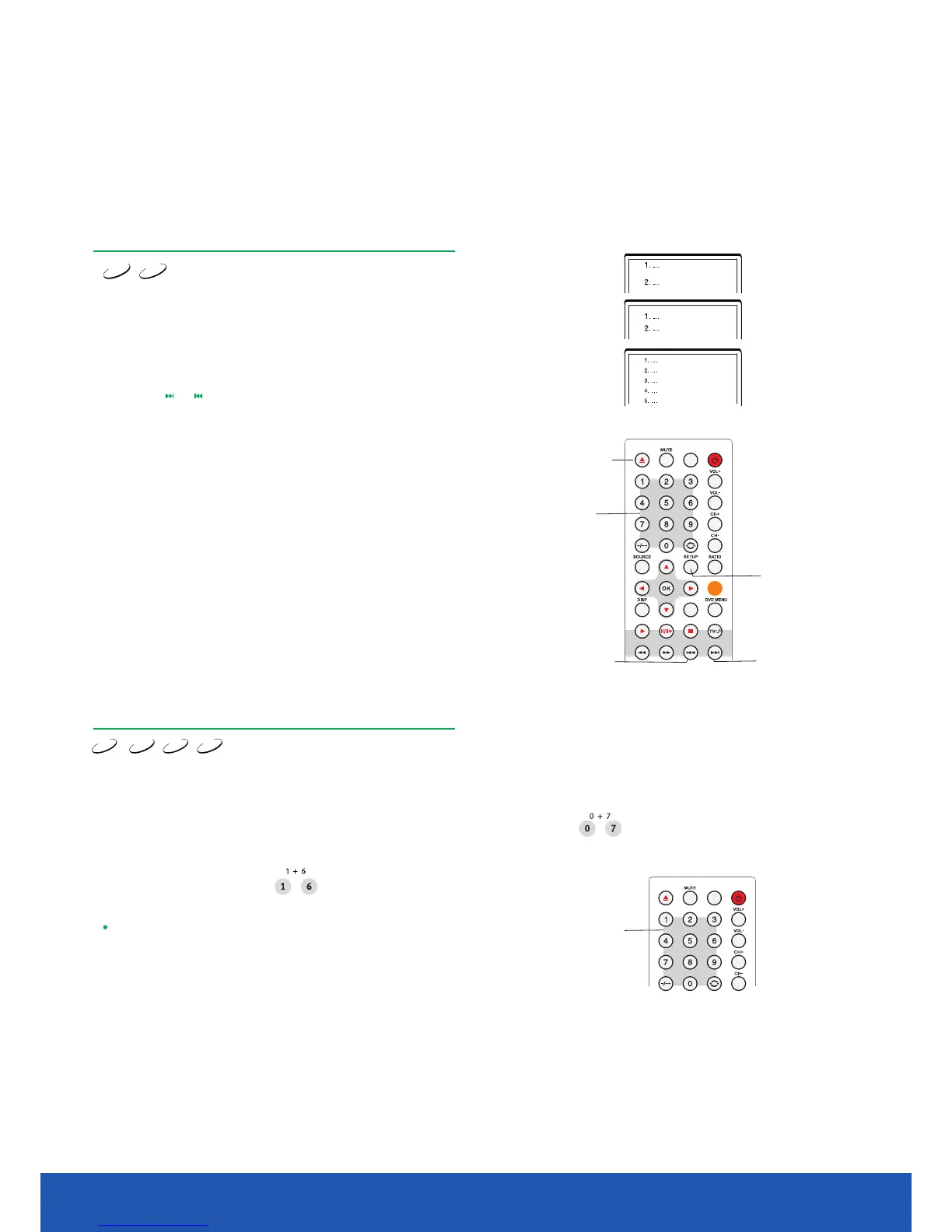
PBC function
Super VCD
VCD
Use the PBC function for playing SVCD, VCD2.0 discs with PBC function enabled.
1. TV screen main menu:
2. You will see a submenu after entering the main menu no1.
4. Press the numeric button to select the submenu item. For example,
press 5 to start playing from track no5.
Press the numeric button for selection.
For example choose the main menu no1.
TV screen will display:
5. Press the button to go back to submenu. Press theSETUP SETUP
button again to go back to main menu.
3. Press the or button to go to required page.
6. Press the button again to turn the PBC function ofSETUP f and start
normal playback.
PREV
Number
SETUP
NEXT
Selecting chapter or track using
numeric buttons
DVD
Super VCD
VCD
CD
1. Load the disc. After the DVD player starts reading press the numeric button to select
the chapter or track
to play. You may skip between chapters or tracks by pressing the
LEFT or RIGHT cursor buttons.
2. If the chapter/track number is
<10, press button 1-9. For instance select track 7:
3. If the chapter/track number is
>10, press button 1-9, then press numeric button 0-9 again.
For instance select track 16:
NOTE
When you play VCD or VCD2.0 discs this function is available if the
PBC mode is turned off.
Disc playback mode
EJECT
GU IDE
EX IT
TE XT MI X I ND EX
CA NCE L R EV EAL HO LD SIZE
AQT
FAV
Number
GU IDEFAV
3210.1 inch TV/DVD user guide



 To Next Page