Support multi-point connection (simultaneous
connection of two mobile phones)
Two mobile phones, one headset, a key to answer the call.
Support voice report number
When phone call coming, automatic report telephone numbers to avoid important telephones.
E.g.: “1”“0”“0”“8”“6” phone call coming.
Support voice reminding function
Real-time report to users the status of the Bluetooth earphone, handle skillfully. E.g.: “Bluetooth
is turned on”, “Bluetooth is power off”.
iPhone: power consumption display function:
Display Bluetooth headset power on iPhone , In order to consider whether
need to charge the headset.
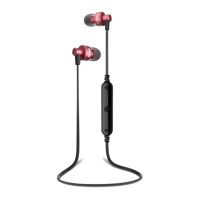
Take A Look
A. Calls and streaming audio
◆ Take a call or end it (1 tap)
◆ Reject a call (2-second press)
◆ Hold first call and answer second call (1 tap)
◆ Switch between calls (2-second press)
◆ End second call and retrieve first call (1 tap)
◆ Transfer call from phone (1 tap)
◆ Redial (2 taps)
◆Use phone’s voice-control feature to make a call (2-second press unitil tone is heard)
◆ Reconnect lost Bluetooth® connection (1 tap if the earbuds can’t automatically reconnect)
◆ Play or pause audio (1 tap)
B. Micro USB charging port (right earbud)
◆ 1 hour before first use (LED is red until fully charged)
◆ 2.5 hours for full charge
C. Volume, tracking and mute
◆ Volume up or down (1 tap on + or - per level change)
◆ Track forward or back (3 second press on+ or- per track change)
D. Power, pawing and battery check


 To Next Page