EasyManua.ls Logo

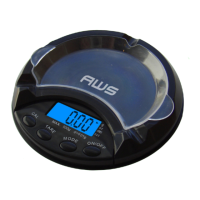
AWS 5K-BOWL - User Manual

AWS 5K-BOWL
6 pages
Print Icon
To Next Page IconTo Next Page
Loading...
American Weigh Scales
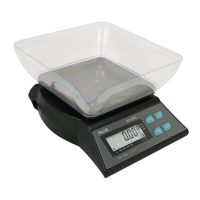
5K-BOWL (5000x1g)
User Manual
5K-BOWL
Copyright © 2010 American Weigh Scales, Inc.
All rights reserved. Rev. 2.0

Questions and Answers

AWS 5K-BOWL Specifications

General IconGeneral
DisplayLCD
MaterialPlastic
Capacity5000 g
Readability1 g
Power2 x AAA batteries

Summary

Part List

Key Description

Battery Installation

Initial battery check and replacement alignment

Check battery compartment for insulation and ensure proper contact alignment when replacing batteries.

Operation

Basic weighing procedure

Place scale on level surface, turn on, wait for zero, place item, and read weight after stabilization.

Changing the Unit of Measure

Switching between kg;g and lb;oz

Turn scale upside down to locate the g/oz switch and select the desired unit of measure.

Using the Tare Feature

Subtracting container weight for net weight

Place container on scale, press Tare to zero, then add contents for net weight reading.

Calibration

Checking and performing scale calibration

Place calibration weight, check displayed value against tolerance, and perform adjustment if needed.

Adjustment

Step-by-step scale adjustment procedure

Turn on, tap ON/OFF four times, press ON/OFF again with no weight, place calibration weight.

Troubleshooting

Common scale issues and solutions

Addresses scale not turning on, fluctuating weight, and inaccurate readings with suggested fixes.

Error Codes

Understanding OUTZ and O-Ld error messages

Explains OUTZ (zero range shift) and O-Ld (overload) errors and their remedies.

Related product manuals