
 Need help?
Do you have a question about the AWS WeatherBug and is the answer not in the manual?
Instructions for removing the digital display from its shipping container and identifying included components.
Factors to consider when selecting an optimal placement for the digital display unit.
Steps to connect the digital display to the MCU and power source for operation.
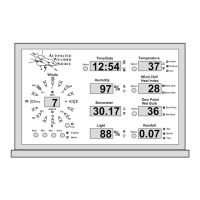
Explanation of real-time data displayed and how values are updated every second.
Guidance on switching between English and Metric units for displayed measurements.
How to view and interpret the rate of change for various weather parameters.
Information on viewing and resetting daily high and low weather readings.
 General
| Model | WeatherBug |
|---|---|
| Type | Weather Station |
| Sensors | Temperature, Humidity, Wind Speed, Wind Direction, Rainfall |
| Power Source | Solar with battery backup |
| Display | None (data transmitted to WeatherBug network) |
| Weather Network | WeatherBug |
| Features | Real-time weather data reporting |
| Operating Temperature | -40°F to 140°F (-40°C to 60°C) |
| Data Logging | Cloud-based via WeatherBug network |
| Mounting | Pole Mount |

 To Next Page