Need help?
Do you have a question about the Axair MIAP V2 and is the answer not in the manual?
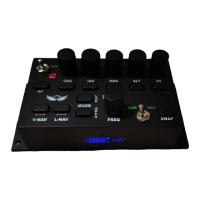
Connect MIAP to PC and start FS2020; navigate to control settings.
Create a new profile or start assigning functions directly in FS2020.
Assign Heading bug functionality to the MIAP by selecting options in FS2020.
Assign decrease/increase heading bug functions using rotary knob inputs.
Continue assigning all buttons and rotaries following the established procedure.
Program COM and NAV functions using toggle switch and SWAP button.
Assign FREQ rotary and button to COM/NAV for frequency adjustment (MHz/kHz).
Assign remaining functions, save profile, and test functionality in-flight.
 General
| Brand | Axair |
|---|---|
| Model | MIAP V2 |
| Category | Autopilot System |
| Language | English |

 To Next Page