10
EN
REMOTE CONTROL SETTINGS MODE
In settings mode, you can manage additional functions:
– Night light
– Signal tone
– System reset
– Shower toilet standby mode
– System purge
– Emptying the water tank
SETTINGS
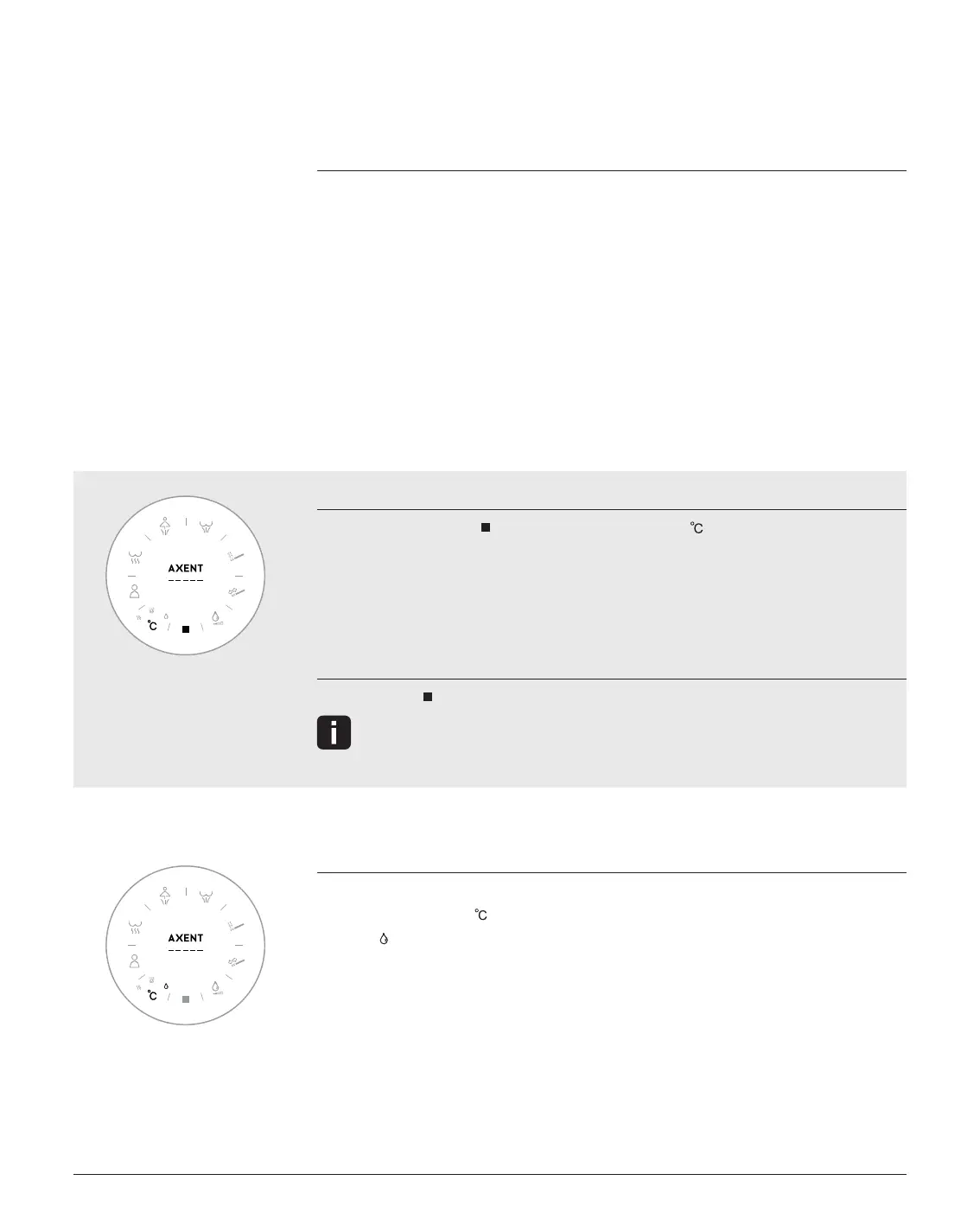
ACTIVATING SETTINGS MODE
1. Press and hold Stop
and also press Temperature until
the LED display flashes slowly.
2. The AXENT logo lights up without flashing.
3. You are now in settings mode.
EXITING SETTINGS MODE
1. Press Stop
to exit settings mode.
The setting mode is automatically terminated after 3 minutes of inactivity.
– Seat heating energy-saving mode (AXENT.ONE
PLUS
)
– Automatic Deodorizer (AXENT.ONE
PLUS
)
– Automatic self-cleaning function (AXENT.ONE
PLUS
)
NIGHT LIGHT
Settings mode is active.
1. Press Temperature multiple times.
2. The
icon - lights up without flashing the night light is permanently on.
- flashes quickly the night light is permanently off.
- flashes slowly The night light switches on and off
automatically depending on ambient
brightness.
3. The display switches off after a few seconds, and your setting is saved.
Factory setting: The night light switches on and off automatically depending
on ambient brightness.


 To Next Page
 Loading...