EasyManua.ls Logo

Axess ASWC-1 - User Manual

Axess ASWC-1
5 pages
Print Icon
To Next Page IconTo Next Page
Loading...
ASWC-1 VEHICLE SPECIFIC INSTRUCTIONS
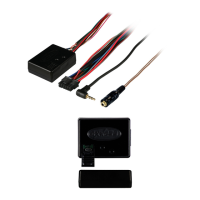
ASWC-1 Connections:
Connect the Black wire of the ASWC-1 and
the wire in Pin 19 of the vehicle’s radio
harness shown, to Chassis Ground.
Connect the Red wire of the ASWC-1 to 12v
accessory power.
Connect the Black/Green wire of the
ASWC-1 to the wire in Pin 9 of the vehicle’s
radio harness shown.
Connect the 3.5mm jack to the SWC input on
the back of the radio. If the radio does not have a
3.5mm built in, please refer to Page 2 for wiring
instructions for the Axxess 2 wire adapter.
ASWC-1 Resistive Wire Used:
Black/Green
Programming Method:
Auto-Detect
(No additional actions required)
Vehicle Connector:
This is the view of the radio connector in the vehicle
Note: Wire colors may vary between vehicles but pin
locations remain the same
Initial Installation:
The first time the ASWC-1 is cycled on, the LED
will begin to “Rapid Flash”.
Programming:
When the ASWC-1 begins to flash rapidly, it is in
auto-detect mode, at this time do not press
any buttons. The rapid flash will go out after
several seconds, then simply wait until the LED
goes solid. If it does not go solid, see the LED
Feedback section for information on how to
proceed.
**NOTE - If you cycle the ignition on and the ASWC
only shows one Green flash, press and hold the
Reset button for 3 seconds. This will force the ASWC-
1 into Rapid flash/Program mode. If the ASWC-1
goes to a slow Green/Red flash you held the reset
button too long, repeat the 3 second press again.
LED Feedback:
Rapid LED flash Red/Green between 3-
5 seconds
Pause for 1-2 seconds
Series of 7 Green LED flashes. (The
ASWC-1 is detecting wires connected to
the vehicle)
Pause for 1-2 seconds
Series of up to 18 Red LED flashes
(The ASWC-1 is detecting the radio. List
of radios on pg. 2)
After this sequence one of two things will happen.
Either the LED will go solid Red, which means
the ASWC-1 has detected the vehicle, or the
ASWC-1 will go back to a slow Red/Green flash.
This means the ASWC-1 did not detect the
vehicle, and connections should be rechecked, or
programming method should be verified.
Additional LED information:
After the ASWC-1 stops rapid flashing, it will pause
then go directly to 7 Green flashes. Short flashes
indicate wires that are not connected, Long flashes
indicate wires that are connected. *NOTE The
ASWC always flashes Green 7 times, this is an
indicator of the ASWC-1 wires. After the green
Question and Answer IconNeed help?

Do you have a question about the Axess ASWC-1 and is the answer not in the manual?

Summary

ASWC-1 Connections

Programming and LED Status

Initial Installation

The ASWC-1 begins to Rapid Flash upon initial power-up, indicating it is ready for programming.

LED Feedback Interpretation

Provides guidance on interpreting LED flashes for vehicle and radio detection status.

Wire Identification and Radio Types

Connected Wires (Long Green LED)

Details the function of each wire in the long green LED harness connection.

Radio Type Identification

Lists radio brands and their corresponding types for programming the ASWC-1.

Radio Connection Methods

Universal Radio Connections

Explains connection procedures for radios with 3.5mm jacks and universal 2/3 wire setups.

Radios with Single SWC Wire

Instructions for connecting to radios that have only one SWC wire.

Operation and Troubleshooting

General Operation

Guidance on setting up and verifying SWC menu functionality in the new radio.

Troubleshooting Common Issues

Addresses power, ground, connection, and aftermarket accessory issues affecting ASWC-1.

Button Configuration

ASWC-1 Button Remapping

Procedure for changing button functions on the ASWC-1 after auto-detection.

ASWC-1 Changing Radio Type

Steps to manually change the ASWC-1's programmed radio type.

Dual Assignment Instructions

Guide for assigning secondary functions to steering wheel buttons via long press.

Overview

The Axxess ASWC-1 is an interface designed to integrate aftermarket radios with existing steering wheel controls in a vehicle. It allows users to retain the functionality of their factory steering wheel buttons when upgrading their car's audio system.

Function Description:

The primary function of the ASWC-1 is to translate the signals from the vehicle's steering wheel controls into commands that an aftermarket radio can understand. This enables the user to control various radio functions, such as volume up/down, seek up/down, mode/source, mute, preset up/down, power, band, play/enter, PTT (Push to Talk), on hook, and off hook, directly from their steering wheel. The device supports both auto-detection of the vehicle and radio type, as well as manual programming for specific scenarios. It also offers advanced features like button remapping and dual assignment for long presses, allowing for extensive customization of control.

Important Technical Specifications:

  • Connectivity:
    • Power: Requires 12V accessory power (Red wire) and chassis ground (Black wire).
    • Steering Wheel Control Input: Connects to the vehicle's steering wheel control wires (e.g., Pin 9 for Black/Green wire) and outputs commands via a 3.5mm jack to the aftermarket radio's SWC input.
    • USB Port: Features a Micro USB Port for firmware updates and advanced configuration using the Axxess Updater software.
  • LED Feedback System: Utilizes a multi-color LED (Red, Green) to provide visual feedback during installation, programming, and troubleshooting.
    • Rapid Flash (Red/Green): Indicates auto-detect/program mode.
    • Solid Green: Indicates successful mapping of a button during remapping.
    • Solid Red: Indicates successful detection of the vehicle and radio.
    • Series of 7 Green Flashes: Confirms detection of connected ASWC-1 wires.
    • Series of up to 18 Red Flashes: Indicates detection of the radio type.
    • Slow Red/Green Flash: Suggests an issue with vehicle detection or connections.
  • Resistive Wire Used: Black/Green wire for resistive steering wheel control systems.
  • Programming Method: Primarily "Auto-Detect," requiring no additional actions during initial power-up. Manual programming options are available for specific radio types or advanced customization.

Usage Features:

  • Initial Installation:
    • Connect Black wire to chassis ground (Pin 19).
    • Connect Red wire to 12V accessory power.
    • Connect Black/Green wire to the vehicle's radio harness (Pin 9).
    • Plug the 3.5mm jack into the radio's SWC input.
    • Upon initial power-up, the ASWC-1 enters "Rapid Flash" mode, then automatically detects the vehicle and radio. The LED will go solid Red upon successful detection.
  • Troubleshooting:
    • Verify 12V power and chassis ground connections.
    • Ensure proper pin view for vehicle connector connections.
    • Confirm the 3.5mm jack is securely inserted.
    • Remove any aftermarket T-taps or barrel connections, as they can add resistance.
    • For Pioneer radio users experiencing mixed-up or non-working buttons, repeatedly plug and unplug the 3.5mm jack 5-6 times, then reset and reprogram the ASWC-1.
    • If issues persist, check SWC menus on the aftermarket radio and try switching SWC 1 & 2 wires, resetting, and reprogramming.
    • Contact Tech Support if all troubleshooting steps are exhausted.
  • Button Remapping:
    • Allows users to change the function of existing steering wheel buttons.
    • Initiate by holding Volume Up within 20 seconds of ignition on until the LED goes solid.
    • Follow a specific sequence, tapping buttons to assign new functions from a predefined list.
    • Skip functions by holding Volume Up until the LED comes on.
    • Complete remapping by holding Volume Up until the LED goes out.
  • Dual Assignment:
    • Enables assigning a secondary function to a button for a long press (e.g., Seek Up for a short press, Play/Enter for a long press).
    • To assign: Hold the desired steering wheel button for ~10 seconds until the LED flashes green rapidly, then release. The LED goes solid green.
    • Tap Volume Up the number of times corresponding to the desired new button number from the Dual Assignment Legend.
    • To store: Press the button assigned in step 1. The LED will go off.
    • To reset: Repeat step 1, then press Volume Down.
  • Changing Radio Type:
    • Necessary if auto-detect fails or for specific radio models.
    • Initiate by holding Volume Down for 3 seconds after ignition on until the LED goes solid.
    • Tap Volume Up the designated number of times corresponding to the desired radio code from the Radio Type List.
    • Press and hold Volume Down until the LED goes solid to complete the change.
  • Universal 3.5 Jack Connections: For radios with a 3.5mm SWC port, plug the male 3.5mm jack directly. For radios without, SWC wires are pinned in the harness.
  • Universal 1, 2, and 3 Wire Radios: Specific wiring instructions are provided for different radio types (single wire, two-wire, three-wire) to connect to the ASWC-1's Brown and Brown/White wires.

Maintenance Features:

  • Firmware Updates: The Micro USB Port allows for updating the ASWC-1's firmware using the Axxess Updater software, ensuring compatibility with new vehicles and radios, and potentially adding new features.
  • PC/Android App Configuration: Advanced remapping and dual press features can be configured via the Axxess PC & Android app (for phones with hosting capabilities) or using the AX-HUB for Apple products. This provides a user-friendly interface for detailed customization.
  • Diagnostic LED Feedback: The comprehensive LED feedback system aids in diagnosing connection and programming issues, simplifying troubleshooting and maintenance.

Axess ASWC-1 Specifications

General IconGeneral
BrandAxess
ModelASWC-1
CategoryRecording Equipment
LanguageEnglish