Need help?
Do you have a question about the Axess TVD1804-24 and is the answer not in the manual?
Essential guidelines for safe operation and placement of the TV set.
Key safety measures to prevent hazards like fire, electric shock, and damage.
Displayscreen type, resolution, power, dimensions, and weight of the TV.
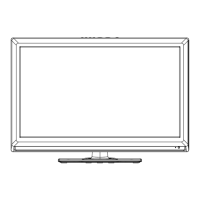
Identification of buttons and indicators on the TV's front and side.
Identifies all connection ports on the rear of the TV.
Detailed explanation of buttons and their operations on the TV remote.
Specific buttons and operations for the DVD player functions on the remote.
Describes remote buttons for controlling multimedia playback like Play, Pause, Stop.
Step-by-step guide for inserting batteries into the remote control.
Instructions for connecting an antenna to the TV.
Guide on how to connect a VCR to the TV for viewing tapes.
How to connect a DVD player or set-top box using component video and audio.
Steps to connect a digital audio system to the TV for enhanced sound.
Instructions for connecting USB drives for media playback.
How to connect a DVD player or set-top box using an HDMI cable.
Guide to connect a computer to the TV using VGA and audio cables.
How to plug headphones into the TV for private listening.
Lists the resolutions supported for VGA, Component, and HDMI inputs.
Step-by-step instructions for powering the TV on and off.
How to choose the active input source for viewing content.
Guide to navigating the main OSD menu and its sub-options.
Steps for initial TV setup using the Setup Wizard.
Adjustments for brightness, contrast, color, sharpness, and color temperature.
Options for sound modes, bass, treble, balance, surround, and audio language.
Configuration for sleep timer, time zone, and clock settings.
Various settings including language, transparency, zoom, and noise reduction.
System lock, password changes, and rating controls like MPAA and RRT.
Settings for air/cable, auto scan, favorite channels, and channel labeling.
Adjustments for PC input like horizontal/vertical position, clock, and phase.
How to play photos and music files from a USB device.
Initial settings for the DVD player, including display and language.
Accessing USB and SD/MMC/MS cards for media playback.
Guides users through common problems and their fixes.
Describes causes for common picture issues like snowy, double images, or wave patterns.
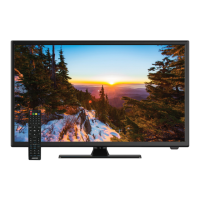
This document describes a 24-inch widescreen HD LED TV with a built-in DVD player, designed for home entertainment. It functions as both a television and a monitor, offering a range of features for viewing various media.
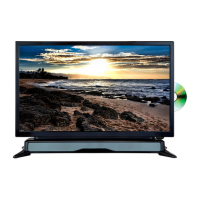
The primary function of this device is to display video content from multiple sources, including broadcast television, external media players, and computers. It integrates a DVD player, allowing direct playback of disc-based media. The TV supports high-definition resolutions, making it suitable for modern video content. It also includes audio output capabilities for connecting to external sound systems or headphones.
The TV can be turned on and off using either the power button on the unit or the remote control. A power indicator light shows the current status (blue for on, red for standby). The TV automatically enters standby mode after about 10 minutes if no signal is detected in TV mode. All picture and channel settings are memorized when the unit is turned off.
The TV offers multiple input sources, including TV (Antenna/Cable), AV, YPbPr, HDMI, VGA, USB, and DVD. Users can easily switch between these sources using the SOURCE button on the remote control or the unit.
The remote control provides comprehensive control over the TV's functions. It includes number buttons for channel selection, dedicated buttons for EPG (Electronic Program Guide), INFO (program information), FREEZE (to hold the picture), and SLEEP (Sleep Timer). Volume and channel navigation buttons are also present. For DVD playback, the remote has specific buttons for EJECT, GOTO (for searching specific positions), A-B (for repeat playback between two points), ANGLE (for viewing different camera angles on compatible DVDs), REPEAT, MEDIA (to switch between DISC, USB, and CARD modes), LANGUAGE (for soundtrack selection), SETUP (for DVD menu settings), D.MENU (for DVD root menu), SUBTITLE, ZOOM (to enlarge/shrink the picture), TITLE (for DVD title menu), and D.DISP (to display playback information). Multimedia playback controls like fast backward/forward, previous/next file, play/pause, and stop are also available.
The TV features an intuitive OSD menu system, accessible via the MENU button. This allows users to adjust various settings:
When in VGA mode, users can access PC settings to adjust Horizontal Position (H-Pos), Vertical Position (V-Pos), Clock, and Phase. An "Auto" option automatically adjusts the PC screen.
The TV includes a USB 2.0 slot for multimedia file playback (Music: MP3, Photo: JPG). Users can navigate folders and files using the remote control. During photo playback, users can play previous/next photos and rotate images. During music playback, a tool bar allows control over playback (play, fast backward/forward, previous/next, stop, pause, repeat). The TV is compatible with most USB devices, but full compatibility is not guaranteed due to varying technology standards.
The integrated DVD player has its own setup menu with general settings:
The device also functions as a card reader, supporting SD, MMC, and MS cards in addition to USB storage. To access these, users select "DVD" as the source and then use the SOUND/MEDIA button to toggle between the DVD player, USB device, or SD/MMC/MS card. Supported media types include Video (MPEG1, MPEG2), Audio (WMA, MP3), and Photo (JPEG).
The TV offers a wide array of connection ports:
When cleaning the TV, it is important to unplug the power cord. For the front cabinet, use a soft, dry, lint-free cloth. Avoid repeatedly wiping, scraping, tapping, or striking the panel with hard objects. Do not use corrosive depuratives, acetone, toluene, or alcohol-based solvents, as these can damage the panel and cabinet.
The remote control uses two AAA batteries. To prevent damage from leakage, remove batteries if the remote will not be used for a long period. Do not mix old and new batteries. Batteries should not be exposed to excessive heat.
The TV is designed to comply with green environment protection requirements, including zero X-radiation. Used batteries should be disposed of in a recycling bin.
The manual provides a troubleshooting guide for common issues like no power, no picture, no sound, abnormal color, remote control malfunction, screen flickering, horizontal stripes, and colored dots. It offers possible solutions, such as checking power connections, antenna, volume, sound settings, remote control batteries, and adjusting monitor parameters for PC input. It also notes that a few cell defects resulting in colored dots on LED displays are normal and do not indicate a faulty product.
The manual emphasizes several safety precautions:
This product is ENERGY STAR® qualified, meeting U.S. Federal energy efficiency guidelines. Users are advised that changes to certain features, settings, and functions may affect power consumption. The as-shipped mode is the qualifying mode for ENERGY STAR®.
 General
| Screen Size | 24 inches |
|---|---|
| Display Technology | LED |
| Resolution | 1366 x 768 |
| Aspect Ratio | 16:9 |
| Brightness | 200 cd/m² |
| Contrast Ratio | 1000:1 |
| Response Time | 5ms |
| Audio Output | 2 x 3W |
| HDMI Ports | 1 |
| USB Ports | 1 |
| VGA Port | 1 |
| Power Consumption | 36W |
| Viewing Angle | 178° |

 To Next Page