Need help?
Do you have a question about the Axion STIM-PRO X9 Plus and is the answer not in the manual?
Defines Transcutaneous Electrical Nerve Stimulation (TENS) and its purpose.
Explains the non-invasive method of controlling pain using TENS.
Defines Electrical Muscle Stimulation (EMS) as a method for treating muscular injuries.
Lists conditions treated by TENS, including pain relief for various illnesses.
Lists uses of EMS in hospitals and clinics for muscle regeneration and development.
Emphasizes reading the manual and following cautions/warnings for user safety.
Discusses mild side effects of TENS, including skin irritation and minor burns.
Discusses mild side effects of EMS, including tenderness, redness, and skin irritation.
Lists precautions for TENS, including accessory use, diagnostic conditions, and electrode placement.
Warns against placing electrodes on the throat, head, or over the heart.
Highlights warnings about device usage, pain origin, monitoring equipment, and heart conditions.
Specific warnings against placing electrodes over eyes, mouth, internally, or on specific body areas.
Restrictions on using the device while sleeping, pregnant, or near specific medical conditions.
Describes how to enter program mode (P) and select programs using the MODE button.
Explains how to set intensity for selected programs using increment/decrement controls.
Introduces TENS programs P1-P16 and lists program descriptions.
Details specific TENS programs like Classic Mode, Low Frequent TENS, etc.
Introduces EMS programs P17-P30, noting warming-up and multiple phases.
Details EMS programs for strength training for beginners and trained persons.
Details EMS programs for muscle mass development for beginners and trained persons.
Details EMS programs for endurance training for beginners and trained persons.
Details the two massage programs, Massage I and Massage II.
Programs for pelvic floor stimulation, requiring a probe and contact gel.
Explains probe electrode use for incontinence and improving pelvic floor muscle function.
General safety instructions for pelvic floor training, including electrode placement and usage restrictions.
Lists specific conditions and situations where pelvic floor stimulation should not be used.
Additional precautions for pacemakers, pregnancy, infections, and hygiene.
Instructions for unpacking, cleaning, and connecting the probe and wires.
Guidance on emptying the bladder, positioning, and inserting the probe with gel.
How to turn on, select programs (P33-P37), and adjust intensity.
How to switch the device on/off and adjust intensity using buttons.
Explanation of selecting TENS/EMS modes (B, N, M, SD1, SD2, C, S, A) and Program mode (P).
Describes the function of SET, Increment (up), and Decrement (down) buttons for settings.
Steps to turn on the device after placing electrodes and plugging wires.
How to select TENS modes (B, N, M, SD1, SD2) using the MODE button.
How to adjust pulse width from 30 µs to 400 µs using SET and arrow controls.
How to adjust pulse rate from 2 Hz to 150 Hz using SET and increment/decrement controls.
Steps to turn on the device after placing electrodes and plugging wires.
How to select EMS modes (C, S, A) using the MODE button.
How to adjust ramp time (1-8 seconds) for output current increase/decrease.
How to adjust ON time (0-90 seconds) including ramp up/down times.
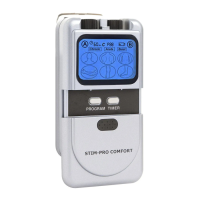
Labels and explains the front panel components and display elements of the device.
Identifies the belt clip and product label on the back of the device.
Instructions on how to view and delete individual operation records.
Instructions on how to view and delete cumulative operation records.
Steps for replacing batteries, including opening the compartment and checking polarity.
Guidelines for cleaning, maintenance, transportation, and storage of the device.
A checklist for regular safety checks of the device, housing, sockets, labels, and cables.
Information on mandatory safety checks and maintenance by authorized technicians every 24 months.
Steps to troubleshoot malfunctions like incorrect controls, cable issues, or no stimulation current.
Lists technical specifications like channels, intensity, pulse amplitude, voltage, power source, size, and weight.
Details adjustable pulse rate (1-150 Hz) and pulse width (30-400 µs).
Specifies adjustable time parameters for ON, OFF, and Ramp periods.
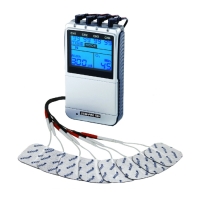
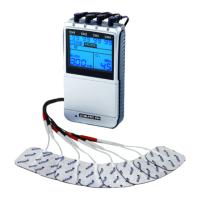
Lists the items included in the standard package of the STIM-PRO X9+.
Details the 24-month warranty, its coverage, and exclusions for improper handling.
Provides manufacturer details, address, and website.
Explains common markings and symbols found on the device and its packaging.
 General
| Category | Medical Equipment |
|---|---|
| Type | TENS/EMS Device |
| Waveform | Biphasic |
| Pulse Width | 50-300 μs |
| Amplitude | 0-100 mA |
| Power Source | Rechargeable Battery |


 To Next Page