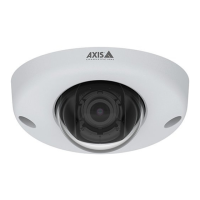
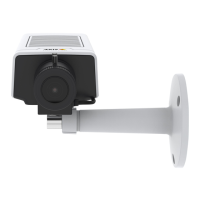
AXISP32DomeCameraSeries
Configureyourdevice
Showatextoverlayinthevideostreamwhenthedevicedetectsanobject
Thisexampleexplainshowtodisplaythetext“Motiondetected”whenthedevicedetectsanobject.
MakesurethatAXISObjectAnalyticsisrunning:
1.GotoApps>AXISObjectAnalytics.
2.Starttheapplicationifitisnotalreadyrunning.
3.Makesureyouhavesetuptheapplicationaccordingtoyourneeds.
Addtheoverlaytext:
1.GotoVideo>Overlays.
2.UnderOverlays,selectTextandclick
.
3.Enter#Dinthetexteld.
4.Choosetextsizeandappearance.
5.Topositionthetextoverlay,click
andselectanoption.
Createarule:
1.GotoSystem>Eventsandaddarule.
2.Typeanamefortherule.
3.Inthelistofconditions,underApplication,selectObjectAnalytics.
4.Inthelistofactions,underOverlaytext,selectUseoverlaytext.
5.Selectavideochannel.
6.InText,type“Motiondetected”.
7.Settheduration.
8.ClickSave.
Note
Ifyouupdatetheoverlaytextitwillbeautomaticallyupdatedonallvideostreamsdynamically.
Recordvideowhenthecameradetectsloudnoises
ThisexampleexplainshowtosetupthecameratostartrecordingtotheSDcardvesecondsbeforeitdetectsloudnoiseand
tostoptwominutesafter.
Turnonaudio:
1.Setupthestreamproletoincludeaudio,seeAddaudiotoyourrecordingonpage14.
Turnonaudiodetection:
1.GotoSystem>Detectors>Audiodetection.
2.Adjustthesoundlevelaccordingtoyourneeds.
Createarule:
1.GotoSystem>Eventsandaddarule.
12



 To Next Page