Need help?
Do you have a question about the Axis A4020-E and is the answer not in the manual?
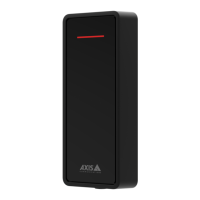
The AXIS A4x20-E Readers, including the AXIS A4020-E Reader and the AXIS A4120-E Reader with Keypad, are designed to function as standard OSDP (Open Supervised Device Protocol) readers. These devices are primarily used in access control systems, facilitating secure entry and exit by reading credentials. The core function of these readers is to interpret and transmit credential data to a connected controller, which then makes decisions regarding access.
One of the key usage features of the AXIS A4x20-E Readers is their integration with AXIS Camera Station Secure Entry. This integration allows users to access specific features and modify settings of the reader, providing a centralized management point for the access control system. The device operates out-of-the-box as a standard OSDP reader, meaning it can be deployed with minimal initial configuration for basic functionality.
A significant aspect of the AXIS A4x20-E Readers' functionality is their support for encrypted communication, specifically through OSDP Secure Channel. This feature enhances the security of the access control system by enabling line encryption between the controller and the AXIS A4020-E Reader. This encryption protects the data transmitted between the reader and the controller from eavesdropping and tampering, ensuring a more robust and secure access solution.
Configuring the encrypted communication involves several steps within the AXIS Camera Station Secure Entry interface. Users can navigate to the "Configuration > Access control > Encrypted communication" section to manage these settings. The process includes specifying a main encryption key, which is crucial for establishing the secure channel. Once the main encryption key is set, the OSDP Secure Channel can be activated. The system is designed to automatically generate the OSDP Secure Channel key based on the main encryption key by default, simplifying the setup process for users. However, for advanced users or specific security requirements, there is an option to manually set the OSDP Secure Channel key. This flexibility allows administrators to tailor the security configuration to their organization's policies. The ability to turn OSDP Secure Channel on or off for the entire system or for specific readers provides granular control over the security posture of the access control infrastructure.
In terms of usage, the AXIS A4120-E Reader stands out with its integrated keypad. This feature allows for multi-factor authentication, where users might need to present a credential and enter a PIN, or simply enter a PIN for access. This adds an extra layer of security compared to a reader that only accepts card credentials. The presence of a keypad expands the range of authentication methods supported by the system, making it adaptable to various security needs and user preferences.
Maintenance features for the AXIS A4x20-E Readers include a straightforward process for resetting the device to factory default settings. This is a crucial troubleshooting step that can resolve various issues by reverting all settings to their original values. The reset procedure is designed to be accessible yet secure, requiring physical interaction with the device. To perform a factory reset, the device must first be removed from its backplate, which effectively disconnects its power. This ensures that the reset process is initiated while the device is powered off.
Once the device is disconnected from power, a control button needs to be pressed and held while power is reconnected. This specific sequence ensures that the reset command is registered. The user will hear a beep as power is reconnected, confirming that the device is responding. The control button must be held for 5-10 seconds to complete the reset. After releasing the button, the device will have been reset to its factory default settings. The final steps involve reassembling the device by placing the terminal block back into its position in the backplate and then hooking the device onto the backplate, closing the unit slowly. This detailed procedure ensures that the reset is performed correctly and safely.
The control button on the device serves multiple purposes, with resetting to factory default settings being one of its primary functions. This single button simplifies maintenance tasks, allowing administrators to quickly restore the device to a known good state if configuration issues arise.
Another important aspect related to the device's operation and potential maintenance is the baud rate. The default baud rate for communication is 9600. For specific network configurations or troubleshooting, the baud rate can be changed using the osdp_COMSET command. This command-line interface capability provides advanced users with the means to fine-tune communication parameters, ensuring optimal performance and compatibility within diverse access control environments.
Overall, the AXIS A4x20-E Readers are designed to be robust, secure, and manageable components within an access control system. Their support for encrypted communication, integration with AXIS Camera Station Secure Entry, and user-friendly maintenance features like factory reset and baud rate adjustment make them versatile tools for securing various types of premises. The option of a keypad on the AXIS A4120-E further enhances their utility by supporting advanced authentication methods.
 General
| Type | Card Reader |
|---|---|
| Connectivity | Wired |
| Operating Humidity | 10% to 90% (non-condensing) |
| Protocols | OSDP, Wiegand |
| Card Formats | MIFARE Classic, MIFARE DESFire, MIFARE Plus |
| Current Consumption | 100 mA |
| Housing | Metal |


 To Next Page