18
Display System
6QWEJVJGWRRGTNGHVEQTPGTVQFKURNC[VJGOCKPOGPW
6QWEJ=5GVVKPIU?
6JGUGVVKPIUOGPWKUFKURNC[GF
Adjust General Settings
6QWEJ=)GPGTCN?KHPGEGUUCT[
6QWEJVQUGNGEVCUGVVKPI
6QWEJQPVJGQRVKQPVQFKURNC[UGNGEVCPQRVKQP
6QWEJVJGWRRGTNGHVEQTPGTQHVJGUETGGPVQGZKV
General settings Options Description
Language Select on-screen display language.
Radio Area
Europe
Select one that matches your location.
America
America4
East Europe
#WUVTCNKC0GY<GCNCPF
China
Beep
On
Turn on the beep sound. Each time you press a button,
the unit beeps.
Off Turn off the beep sound.
Calibration Enter Calibrate the touch screen.
Wallpaper Enter 6Qselect a wall paper.
GPS path setup Enter Touch to enter )25 path setup
Key colour
User
6Q select the color of the key.
Default
Calibration
When the touch operation is not sensitive or valid, calibrate the
touch screen using the calibration setting function.Adjust the
response positions of the touch panel as followV:
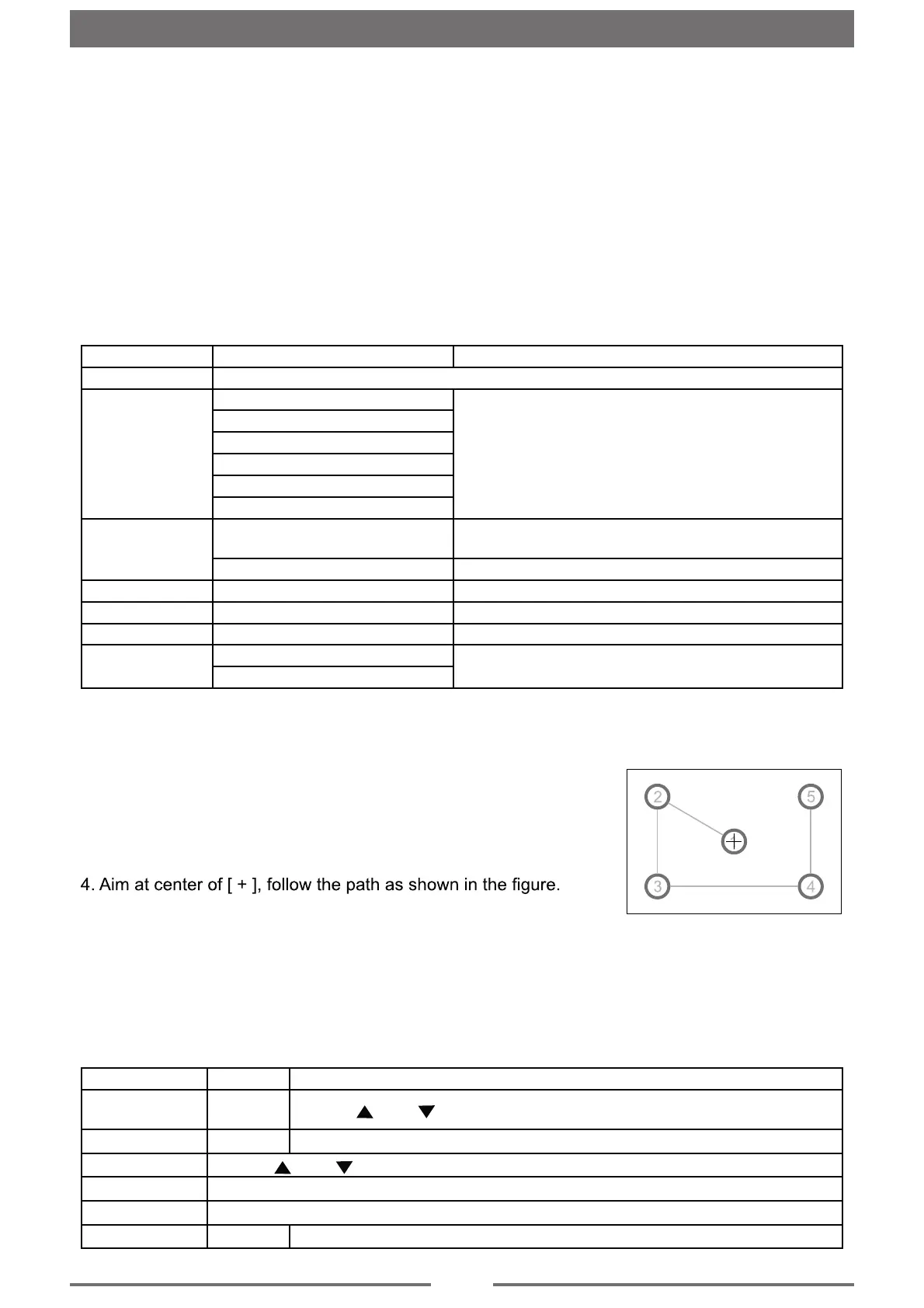
1. Press the [ Calibration ] option on the setup menu to enter.
2. Touch [ Start ] to enter.
3. Press and hold the center of [ + ] for 2 seconds, the [ + ] will
move automatically.
Once steps 1-5 are complete the system will automatically exit
calibrating mode.
Adjust Time Settings
1. 6QWEJ=6KOG?
6QWEJCPQRVKQPTGRGCVGFN[VQUGNGEV
6QWEJVJGWRRGTNGHVEQTPGTQHVJGUETGGPVQGZKV
Time settings Options Description
Date
Year/
Month/Day
6QWEJ= ?QT= ?VQUGV[GCTOQPVJCPFFC[
6KOG/QFG 12H/24H
6QWEJ=*?QT=*?VQUYKVEJVQVKOGOQFG
6KOG
6QWEJ= ?QT= ?VQUGVJQWTCPFOKPWVGU
&GUM6KOGT
6QWEJVQUGNGEV=5KOWNCVG6KOGT?QT=0WOGTCN6KOGT?
6KOG<QPG
6QWEJVQUGNGEVVJGVKOG\QPG[QWFGUKTG
2QYGT1HH6KOG On/Off
6QWEJVQUGNGEVYJGVJGTVJGVKOGFKURNC[UCHVGTRQYGTQHH
Settings


 To Next Page