AXISC8210NetworkAudioAmplifier
Troubleshooting
Troubleshooting
Resettofactorydefaultsettings
Important
Resettofactorydefaultshouldbeusedwithcaution.Aresettofactorydefaultresetsallsettings,includingtheIPaddress,to
thefactorydefaultvalues.
Toresettheproducttothefactorydefaultsettings:
1.Disconnectpowerfromtheproduct.
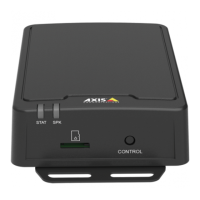
2.Pressandholdthecontrolbuttonwhilereconnectingpower.SeeProductoverviewonpage37.
3.Keepthecontrolbuttonpressedfor10secondsuntilthestatusLEDindicatorturnsamberforthesecondtime.
4.Releasethecontrolbutton.TheprocessiscompletewhenthestatusLEDindicatorturnsgreen.Theproducthasbeenreset
tothefactorydefaultsettings.IfnoDHCPserverisavailableonthenetwork,thedefaultIPaddressis192.168.0.90
5.UsetheinstallationandmanagementsoftwaretoolstoassignanIPaddress,setthepassword,andaccesstheproduct.
Itisalsopossibletoresetparameterstofactorydefaultthroughthewebinterface.GotoMaintenance>Maintenanceactionsand
clickRestoretoresettofactorydefaultvaluesbutkeeptheIPaddress,orDefaulttoresetallvaluesincludingtheIPaddress.
Checkthecurrentrmware
Firmwareisthesoftwarethatdeterminesthefunctionalityofnetworkdevices.Oneofyourrstactionswhenyoutroubleshoota
problemshouldbetocheckthecurrentrmwareversion.Thelatestversionmaycontainacorrectionthatxesyourparticular
problem.
Tocheckthecurrentrmware:
1.Inthedevice’swebpage,gotoOverview.
2.ChecktheFirmwareversion.
Upgradethermware
Important
Preconguredandcustomizedsettingsaresavedwhenthermwareisupgraded(providedthatthefeaturesareavailablein
thenewrmware),althoughthisisnotguaranteedbyAxisCommunicationsAB.
Important
Makesurethedeviceremainsconnectedtothepowersourcethroughouttheupgradeprocess.
Note
Whenyouupgradethedevicewiththelatestrmware,thedevicereceivesthelatestfunctionalityavailable.Alwaysreadthe
upgradeinstructionsandreleasenotesavailablewitheachnewreleasebeforeyouupgradethermware.Tondthelatest
rmwareandthereleasenotes,gotoaxis.com/support/rmware
1.Downloadthelatestrmwareletoyourcomputer,availablefreeofchargeataxis.com/support/rmware
2.Logintothedeviceasanadministrator.
3.GotoSystem>Maintenance>Firmwareupgradeandfollowtheinstructionsonthepage.Whentheupgradehas
nished,thedevicerestartsautomatically.
34


 To Next Page