Dyno Manager
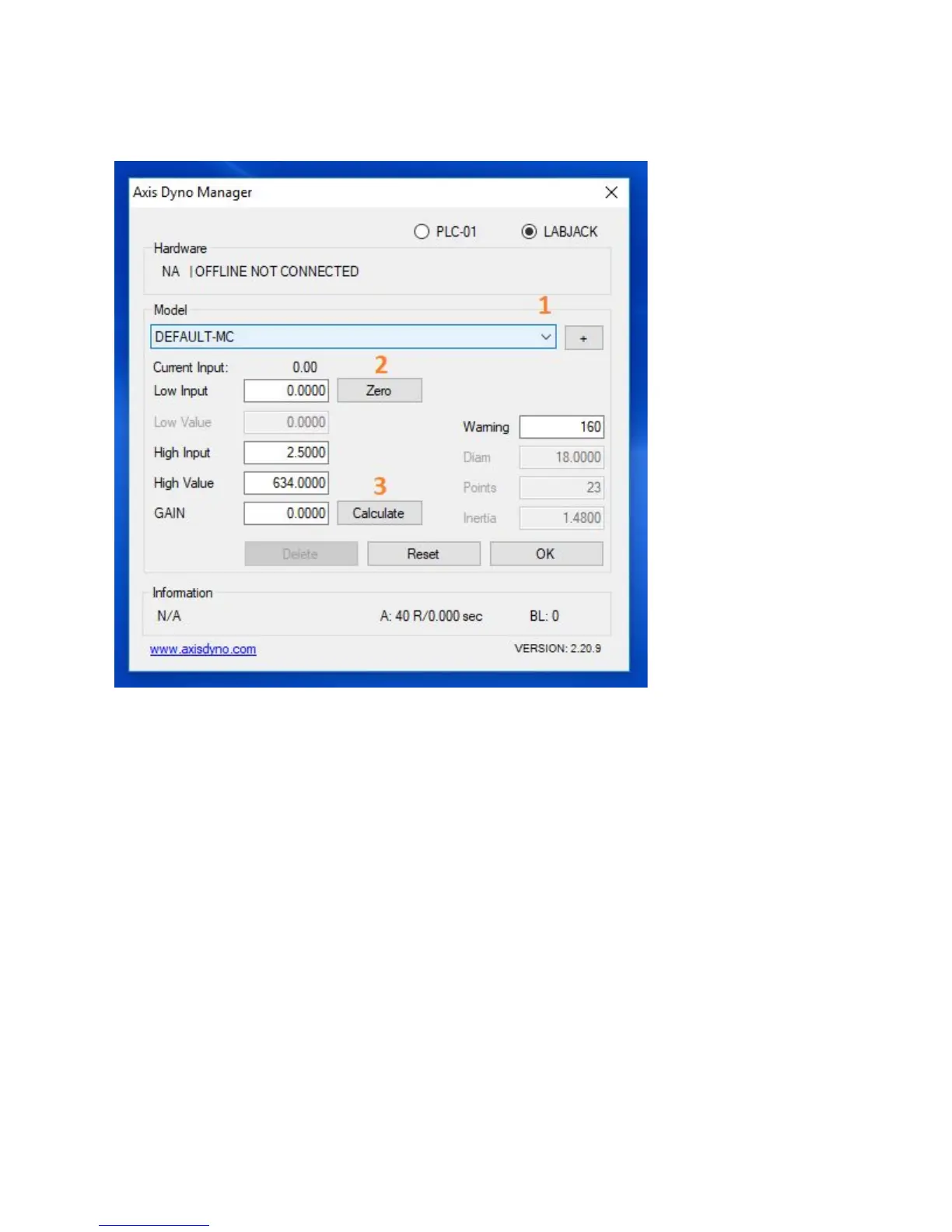
Follow these steps to set your Dyno Manager calibration figures:
- In the drop down menu, select which Model dyno you are using.
“Default-MC” for motorcycle, “Default-UTV” for UTV, and “Default-TRI” for trike.
- Put the Drum at TDC mark, Current Input voltage 0.47 ~ 0.53 click Zero button.
- Click “Calculate.” The value in the “Gain” box will change.
- Calibration numbers are now set.
14



 To Next Page