AXISP3245NetworkCameraSeries
Additionalsettings
Monitorlongandnarrowareas
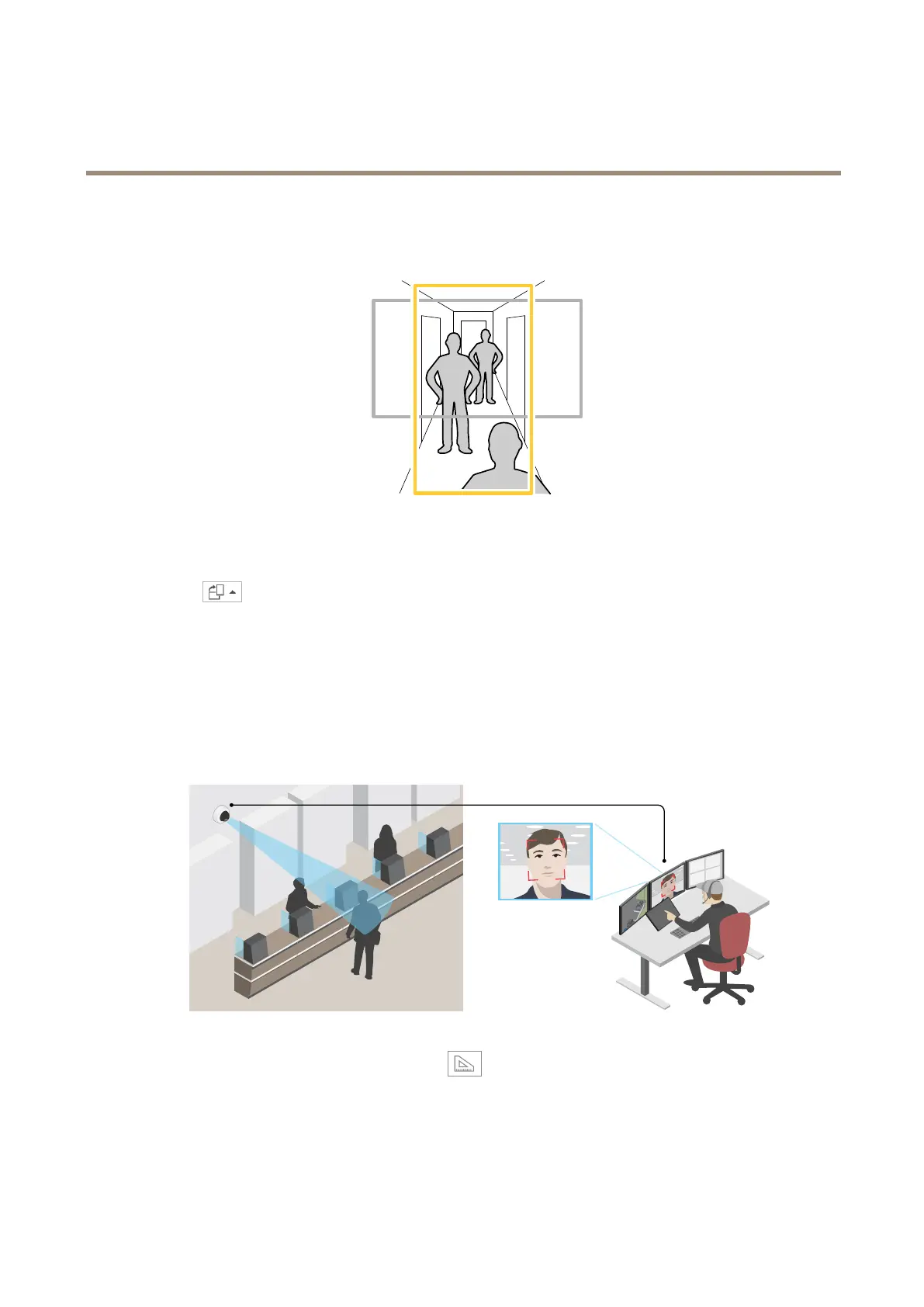
Usecorridorformattobetterutilizethefulleldofviewinalongandnarrowarea,forexampleastaircase,hallway,road,ortunnel.
1.Dependingonyourdevice,turnthecameraorthe3-axislensinthecamera90°or270°.
2.Ifthedevicedoesn’trotatetheviewautomatically,logintothewebpageandgotoSettings>System>Orientation.
3.Click
.
4.Rotatetheview90°or270°.
Findoutmoreataxis.com/axis-corridor-format.
Improvefacialrecognition
Tobetterrecognizethefaceofapersonpassingbythecamera,youcansettheoptimalpixelresolutionwiththecamera’spixel
counter.
1.GotoSettings>System>Orientationandclick.
2.Inthecamera’sliveview,adjustthesizeandplacementoftherectanglearoundtheareaofinterest,forexample,where
thefacesofpassingpersonsareexpectedtoappear.Youcanthenseethenumberofpixelsrepresentedbythesidesof
therectangle.
10



 To Next Page