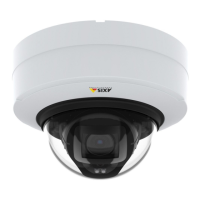
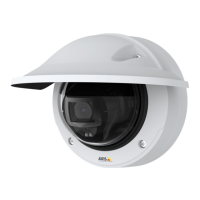
AXISP3245NetworkCameraSeries
Setup
•RegisterwithaSIPserverorPBX.
•SetupAXISVideoMotionDetectioninthecamera.
MakebasicSIPsettings
1.GotoSettings>System>SIP.
2.SelectAllowSIP.
3.ClickNATtraversalandenableSTUN.
4.Typetheserveraddress.
5.ClickSave.
SetuparegisteredSIPaccountonthecamera
1.GotoSettings>System>SIPandclick
underAccounts.
2.ClickRegistered.
3.Typeanamefortheaccount,forexample“Registered”.
4.Typeauserid,domain,password,andregistrar.
5.ClickSave.
Createarecipient
1.GotoSettings>System>Events>Recipientsandaddarecipient.
2.Typeanamefortherecipient,forexample“SIPclient”.
3.InType,selectSIP.
4.InToSIPaddress,typetheSIPaddress.
5.InFromSIPaccount,selectRegistered.
6.Totesttheconnection,clickTest.
7.ClickSave.
SetupthecameratomakeaSIPcallwhenitdetectsmovement
1.GotoSettings>System>Events>Rulesandaddarule.
2.Typeanamefortherule,forexample“VMDtriggersSIPcall”.
3.Inthelistofconditions,underApplications,selectVMD4.
4.Inthelistofactions,underCalls,selectMakeSIPcalls.
5.Inthelistofrecipients,selectSIPclient.
6.ClickSave.
Recordvideowhenthecameradetectsloudnoises
ThisexampleexplainshowtosetupthecameratostartrecordingtotheSDcardvesecondsbeforeitdetectsloudnoiseandto
stoponeminuteafter.
Turnonaudio:
21



 To Next Page