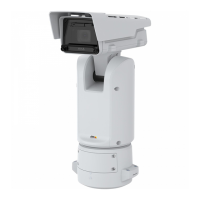
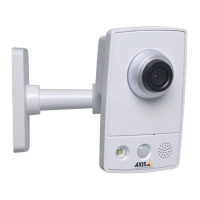
AXISQ1656BoxCameraSeries
Configureyourdevice
Requiredhardware
•AXISI/OIndicationLED
•AnAxisnetworkvideocamera
Note
ForinstructionsonhowtoconnecttheAXISI/OIndicationLED,seetheinstallationguideprovidedwiththeproduct.
ThefollowingexampleshowshowtocongurearulethatturnsontheAXISI/OIndicationLEDtoindicatethatcameraisrecording.
1.GotoSystem>Accessories>I/Oports.
2.FortheportthatyouconnectedtheAXISI/OIndicationLEDto,click
tosetthedirectiontoOutput,andclick
tosetthenormalstatetoCircuitopen.
3.GotoSystem>Events.
4.Createanewrule.
5.SelecttheConditionthatmustbemettotriggerthecameratostartrecording.Itcan,forexample,beatimescheduleor
motiondetection.
6.Inthelistofactions,selectRecordvideo.Selectastoragespace.Selectastreamproleorcreateanew.Alsosetthe
PrebufferandPostbufferasrequired.
7.Savetherule.
8.CreateasecondruleandselectthesameConditionasintherstrule.
9.Inthelistofactions,selectToggleI/Owhiletheruleisactive,andthenselecttheporttheAXISI/OIndicationLEDis
connectedto.SetthestatetoActive.
10.Savetherule.
OtherscenarioswhereAXISI/OIndicationLEDcanbeusedareforexample:
•ConguretheLEDtoturnonwhenthecamerastarts,toindicatethepresenceofthecamera.SelectSystemreadyas
acondition.
•ConguretheLEDtoturnonwhenlivestreamisactivetoindicatethatapersonoraprogramisaccessingastreamfrom
thecamera.SelectLivestreamaccessedasacondition.
Showatextoverlayinthevideostreamwhenthedevicedetectsanobject
Thisexampleexplainshowtodisplaythetext“Motiondetected”whenthedevicedetectsanobject.
MakesurethatAXISObjectAnalyticsisrunning:
1.GotoApps>AXISObjectAnalytics.
2.Starttheapplicationifitisnotalreadyrunning.
3.Makesureyouhavesetuptheapplicationaccordingtoyourneeds.
Addtheoverlaytext:
1.GotoVideo>Overlays.
2.UnderOverlays,selectTextandclick
.
13



 To Next Page