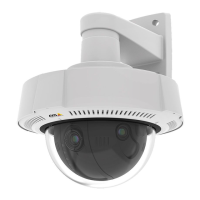
AXISQ37NetworkCameraSeries
Configureyourdevice
2.Clickforyourrecordinginthelist.
Setuprulesforevents
Youcancreaterulestomakeyourdeviceperformanactionwhencertaineventsoccur.Aruleconsistsofconditionsandactions.
Theconditionscanbeusedtotriggertheactions.Forexample,thedevicecanstartarecordingorsendanemailwhenitdetects
motion,orshowanoverlaytextwhilethedeviceisrecording.
Tolearnmore,checkoutourguideGetstartedwithrulesforevents.
Recordvideowhenthecameradetectsanobject
ThisexampleexplainshowtosetupthecameratostartrecordingtotheSDcardwhenthecameradetectsanobject.Therecording
willincludevesecondsbeforedetectionandoneminuteafterdetectionends.
Beforeyoustart:
•MakesureyouhaveanSDcardinstalled.
1.Starttheapplicationifitisnotalreadyrunning.
2.Makesureyouhavesetuptheapplicationaccordingtoyourneeds.
Createarule:
1.GotoSystem>Eventsandaddarule.
2.Typeanamefortherule.
3.Inthelistofactions,underRecordings,selectRecordvideowhiletheruleisactive.
4.Inthelistofstorageoptions,selectSD_DISK.
5.Selectacameraandastreamprole.
6.Settheprebuffertimeto5seconds.
7.Setthepostbuffertimeto1minute.
8.ClickSave.
Detecttamperingwithinputsignal
Thisexampleexplainshowtosendanemailwhentheinputsignaliscutorshort-circuited.Formoreinformationaboutthe
I/Oconnector,seepage64.
1.GotoSystem>AccessoriesandturnonSupervisedfortherelevantport.
Addanemailrecipient:
1.GotoSystem>Events>Recipientsandaddarecipient.
2.Typeanamefortherecipient.
3.SelectEmail.
4.Typeanemailaddresstosendtheemailto.
5.Thecameradoesn’thaveit’sownemailserver,soithastologintoanotheremailservertosendmails.Fillintherestofthe
informationaccordingtoyouremailprovider.
6.Tosendatestemail,clickTest.
15


 To Next Page
 Loading...