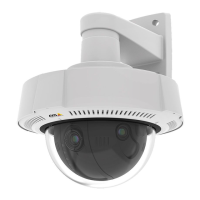
AXISQ37NetworkCameraSeries
Configureyourdevice
Configureyourdevice
Findthedeviceonthenetwork
TondAxisdevicesonthenetworkandassignthemIPaddressesinWindows®,useAXISIPUtilityorAXISDeviceManager.Both
applicationsarefreeandcanbedownloadedfromaxis.com/support.
FormoreinformationabouthowtondandassignIPaddresses,gotoHowtoassignanIPaddressandaccessyourdevice.
Openthedevice'swebinterface
1.OpenabrowserandtypetheIPaddressorhostnameoftheAxisdevice.
IfyoudonotknowtheIPaddress,useAXISIPUtilityorAXISDeviceManagertondthedeviceonthenetwork.
2.Typetheusernameandpassword.Ifyouaccessthedeviceforthersttime,youmustcreateanadministratoraccount.See
Createanadministratoraccountonpage6.
Fordescriptionsofallthecontrolsandoptionsinthedevice’swebinterface,seeThewebinterfaceonpage22.
Securepasswords
Important
Axisdevicessendtheinitiallysetpasswordincleartextoverthenetwork.Toprotectyourdeviceaftertherstlogin,set
upasecureandencryptedHTTPSconnectionandthenchangethepassword.
Thedevicepasswordistheprimaryprotectionforyourdataandservices.Axisdevicesdonotimposeapasswordpolicyasthey
maybeusedinvarioustypesofinstallations.
Toprotectyourdatawestronglyrecommendthatyou:
•Useapasswordwithatleast8characters,preferablycreatedbyapasswordgenerator.
•Don’texposethepassword.
•Changethepasswordatarecurringinterval,atleastonceayear.
Createanadministratoraccount
Thersttimeyoulogintoyourdevice,youmustcreateanadministratoraccount.
1.Enterausername.
2.Enterapassword.SeeSecurepasswordsonpage6.
3.Re-enterthepassword.
4.Acceptthelicenseagreement.
5.ClickAddaccount.
Important
Thedevicehasnodefaultaccount.Ifyoulosethepasswordforyouradministratoraccount,youmustresetthedevice.See
Resettofactorydefaultsettingsonpage18.
Webinterfaceoverview
Thisvideogivesyouanoverviewofthedevice’swebinterface.
6



 To Next Page