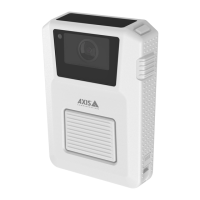
Axisbodywornsolution
Configureyoursystem
10.Connectthebodywornsystemtoyour802.1xenablednetwork.
AllowHTTPSonly
WerecommendusingHTTPSonlytosecurelyconnecttoyourbodywornsystem.
1.GotoSettings>HTTPandHTTPS.
2.IntheAllowaccessthroughdrop-downmenuselectHTTPSonly.
Automaticrecordingactivation
Incombinationwithpre-buffer,automaticrecordingactivationensuresthatthewholeincidentiscapturedwithouttheneedforthe
camerausertomanuallystartarecording.Recordingcanbestartedautomaticallyusing:
•Falldetectiononpage20
•Unholsterdetectiononpage20
Falldetection
Falldetectiontriggersvideorecordingautomaticallywhenthepersonwearingthecamerafalls.Incombinationwithpre-buffer,
thisfeatureensuresthatthewholeincidentiscapturedwithoutmanualactivation.
Toturnonfalldetection:
1.GotoCameraproles.
2.Openthecameraprolethatyouwanttoedit.
3.TurnonFalldetection.
Unholsterdetection
Aholstersensordetectsunholsteringtoautomaticallytriggervideorecording.Incombinationwithpre-buffer,thisfeatureensures
thatthewholeincidentiscapturedwithoutmanualactivation.ThisfeaturerequirespairingtheuserwithaYardarmholstersensor.
Towatchthisvideo,gotothewebversionofthisdocument.
help.axis.com/?&piaId=58704§ion=unholster-detection
Setupaholstersensorforyourbodyworncamera
Toenableunholsterdetection:
1.Makesuretheholstersensorisdisconnectedfromitspowersupply.
2.GotoUsersandselecttheuserthatyouwanttopairtheholstersensorwith.
3.Clicktopairnewequipment.
20


 To Next Page