same as press the “+” button.
5. Press ‘Stop” button (the red and oval button is “0”), spindle will stop running, if press
‘Start’ button now, spindle runs to the speed last setting automatically. When you
operate the mill machine encounter emergency you can press the “Emgency stop
switch” the machine will power off.
6. Press the “Tapping” button ( drawing is a screw tap, the position up the “+” button), the
light above the ‘Tapping’ button lights. This means now is the ‘Tapping mode’, ‘Forward’
and ‘Reverse’ buttons are unavailable.
7. Tapping: the highest speed under ‘Tapping mode’ is 500rpm.
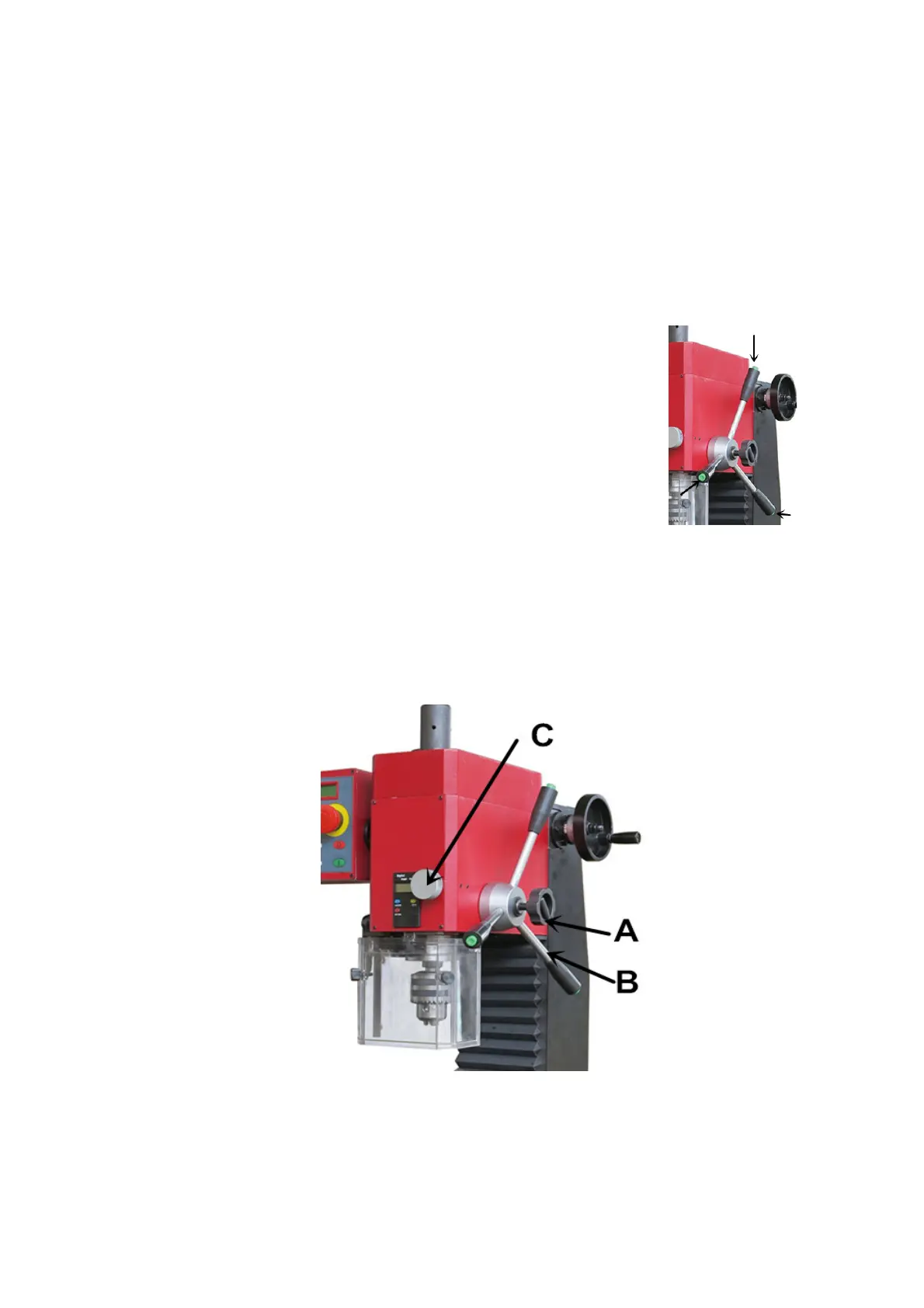
Press the button end of the handle the first is “forward” when
press again it change to “reverse”. Notice it have three handle all
can control so it is very easy to do.
See the picture on the right position.
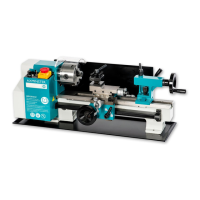
8. Fine feeding function: When lock the Lock small handwheel (A), then the control handle
(B) can not useable. Turn the fine feeding handwheel (C) the spindle will micro remove.
Notice:
After using should turn the power switch to position ‘0’ and pull out the plug from
socket.
7


 To Next Page