Axon Body 3 Camera User Manual
Axon Enterprise, Inc. Page 34 of 44
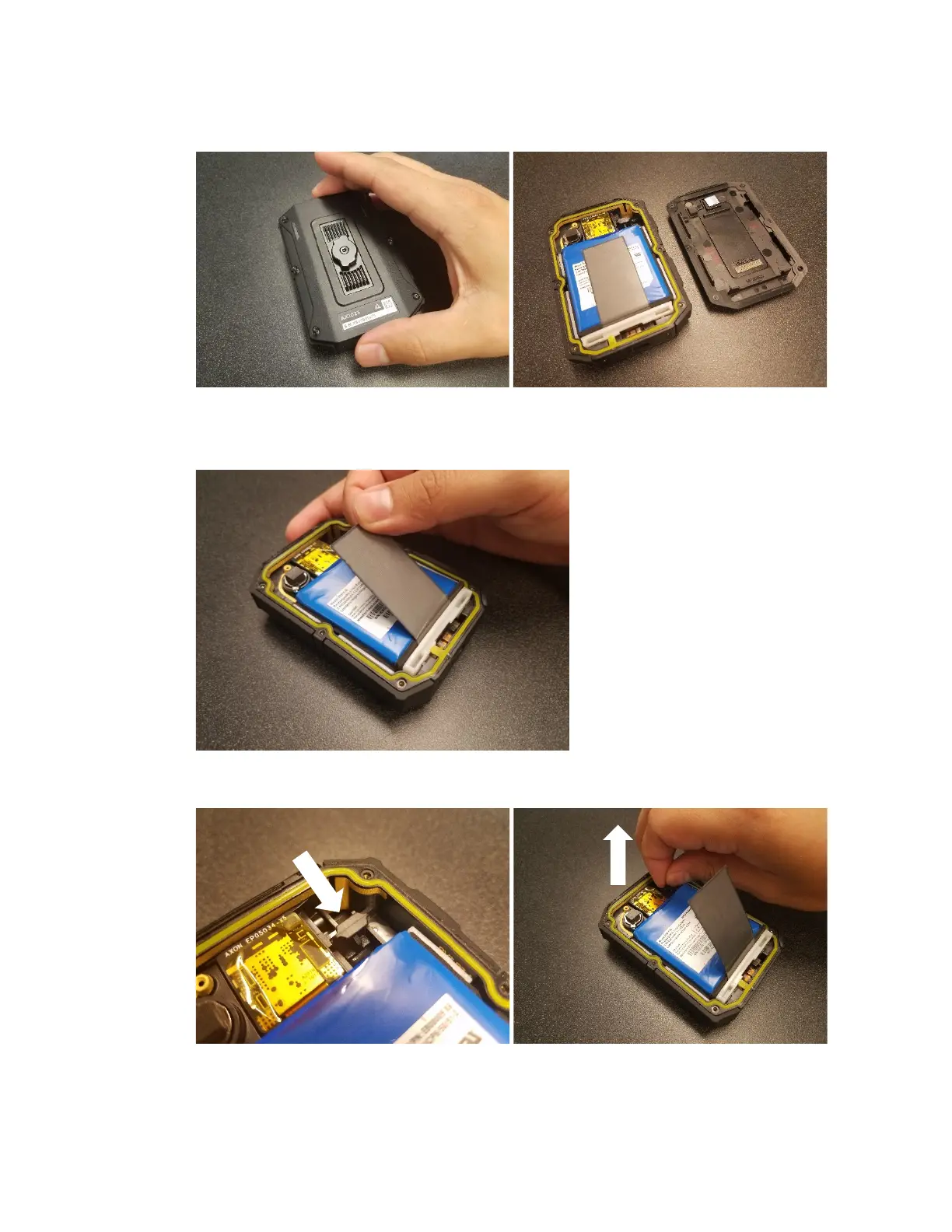
2. Remove the back cover to reveal the battery assembly.
3. Gently peel the gray PGS layer off the battery. PGS layer is attached to the battery with a
small adhesive patch near the top.
4. Disconnect the battery connector from the main board by lifting it up.



 To Next Page
 Loading...