EasyManua.ls Logo

Axpert MLV-5KW-48V - User Manual

Axpert MLV-5KW-48V
49 pages
Print Icon
To Next Page IconTo Next Page
Loading...
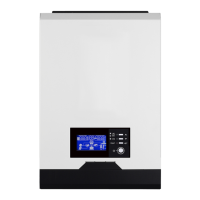
LV 5KVA-48V
INVERTER / CHARGER
Version: 1.0
User Manual

Questions and Answers

  • L
    Lisa MartinezAug 4, 2025
    What to do if Axpert Battery Charger beeps continuously and red LED is on?
    • M
      Mr. Eric ShermanAug 4, 2025
      If the Axpert Battery Charger beeps continuously and the red LED is illuminated, it indicates several potential issues: * **Overload:** Reduce the connected load by switching off some equipment. * **Short Circuit:** Inspect the wiring to ensure it is properly connected and remove any unusual loads. * **Over Temperature:** Verify that the unit's airflow isn't obstructed and that the ambient temperature isn't excessively high. * **High Battery Voltage:** Confirm that the battery specifications and quantity meet the specified requirements. * **Fan Fault:** Replace the fan. * **Abnormal Output:** Reduce the connected load. * **Over Current or Surge:** Restart the unit. * **Battery connection issue:** If the battery is connected well, please return it to repair center.
  • E
    Edward HancockAug 9, 2025
    What to do if Axpert Battery Charger works in battery mode when mains exist?
    • N
      nataliedavisAug 9, 2025
      If your Axpert Battery Charger operates in battery mode even when mains are available, consider the following: * Check if the AC breaker has tripped and ensure the AC wiring is properly connected. * Assess the quality of the AC power supply, especially if using shore power or a generator. Ensure AC wires are not too thin or too long. If using a generator, verify it's functioning correctly and that the input voltage range is correctly configured. * Change output source priority to Utility first.
  • H
    Harry HoganAug 15, 2025
    Why Axpert Battery Charger shuts down automatically during startup?
    • J
      Jason HendersonAug 16, 2025
      The Axpert Battery Charger might shut down automatically during startup if the battery voltage is too low (less than 1.91V/Cell). To resolve this: * Recharge the battery. * If recharging doesn't solve the issue, replace the battery.
  • J
    Julie FletcherAug 22, 2025
    What to do if Axpert Battery Charger has no response after power on?
    • T
      thillAug 22, 2025
      If the Axpert Battery Charger doesn't respond after being powered on, it could be due to these reasons: * The battery voltage is extremely low (less than 1.4V/Cell). * The battery polarity is reversed. To address this: 1. Check the battery and wiring connections to ensure they are secure and correct. 2. Recharge the battery. 3. If the issue persists, replace the battery.
  • Y
    Yolanda LyonsAug 28, 2025
    What to do if internal relay is switched on and off repeatedly when Axpert Battery Charger is turned on?
    • T
      tcraigAug 28, 2025
      If the internal relay switches on and off repeatedly when the Axpert Battery Charger is turned on, it's likely due to a disconnected battery. Check the battery wires to ensure they are properly connected.

Summary

About This Manual

Purpose

Manual's scope: assembly, installation, operation, troubleshooting.

Scope

Provides safety and installation guidelines, tools, and wiring info.

Safety Instructions

Introduction

Features

Lists key features of the inverter/charger.

Basic System Architecture

Illustrates the basic system setup with components.

Installation

Unpacking and Inspection

Details checking package contents and unit condition.

Preparation

Steps before connecting wirings, removing the cover.

Mounting the Unit

Guidelines for selecting installation location and mounting.

Battery Connection

Recommended Battery Cables and Terminal Size

Specifies cable types, sizes, and torque values.

AC Input;Output Connection

Suggested Cable Requirement for AC Wires

Recommends cable gauge and torque for AC connections.

PV Connection

PV Module Selection

Parameters for selecting PV modules for optimal connection.

Solar Charging Mode

Details solar charging parameters like type and voltage.

Final Assembly

Operation

Power ON;OFF

Instructions on how to turn the unit on and off.

Operation and Display Panel

Overview of the front panel controls and indicators.

LCD Display Icons

Explains various icons displayed on the LCD screen.

Communication Connection

Instructions for connecting the inverter to a PC.

Dry Contact Signal

Describes the dry contact port functionality.

Parallel ID

Configuration of parallel ID for multiple units.

LCD Setting

Guide to accessing and configuring unit settings.

Display Setting

How to switch LCD display information.

Operating Mode Description

Explains different operational modes of the inverter.

Fault Reference Code

Lists fault codes and their corresponding events.

Warning Indicator

Lists warning codes, audible alarms, and icon flashing.

Specifications

Line Mode Specifications

Technical specs for Line Mode operation.

Inverter Mode Specifications

Technical specs for Inverter Mode operation.

Charging Mode Specifications

Technical specs for Utility and Solar charging.

General Specifications

General specs like dimensions, weight, safety.

Troubleshooting

Appendix I: Approximate Back-up Time Table

Appendix II: Parallel function

Introduction

Overview of parallel operation capabilities.

Package Contents

Lists items included in the parallel kit.

Mounting the Unit

Guidelines for mounting multiple units in parallel.

Wiring Connection

Details cable size and torque for parallel connections.

Parallel Operation in Single Phase

Wiring diagrams for two/three inverters in single phase.

Support 2-phase Equipment

Wiring diagrams for two/three inverters in 2-phase setup.

Support 3-phase Equipment

Wiring diagrams for three inverters in 3-phase setup.

Axpert MLV-5KW-48V Specifications

General IconGeneral
BrandAxpert
ModelMLV-5KW-48V
CategoryBattery Charger
LanguageEnglish

Related product manuals