EasyManua.ls Logo

Ayce RTA30 - Battery Capacity Indicators

Ayce RTA30
Print Icon
To Next Page IconTo Next Page
To Previous Page IconTo Previous Page
Loading...
discon
n
5. Press t
NOTE: It i
s
charging
p
electrical
Notes on
c
LE
D
LE
D
Battery
c
Press the
Low ca
p
During ch
on “Gree
n
Notes on
b
LED on ba
LED on ba
Self
-
charged.
WA
R
leave the
charger f
r
Capaci
t
LED on
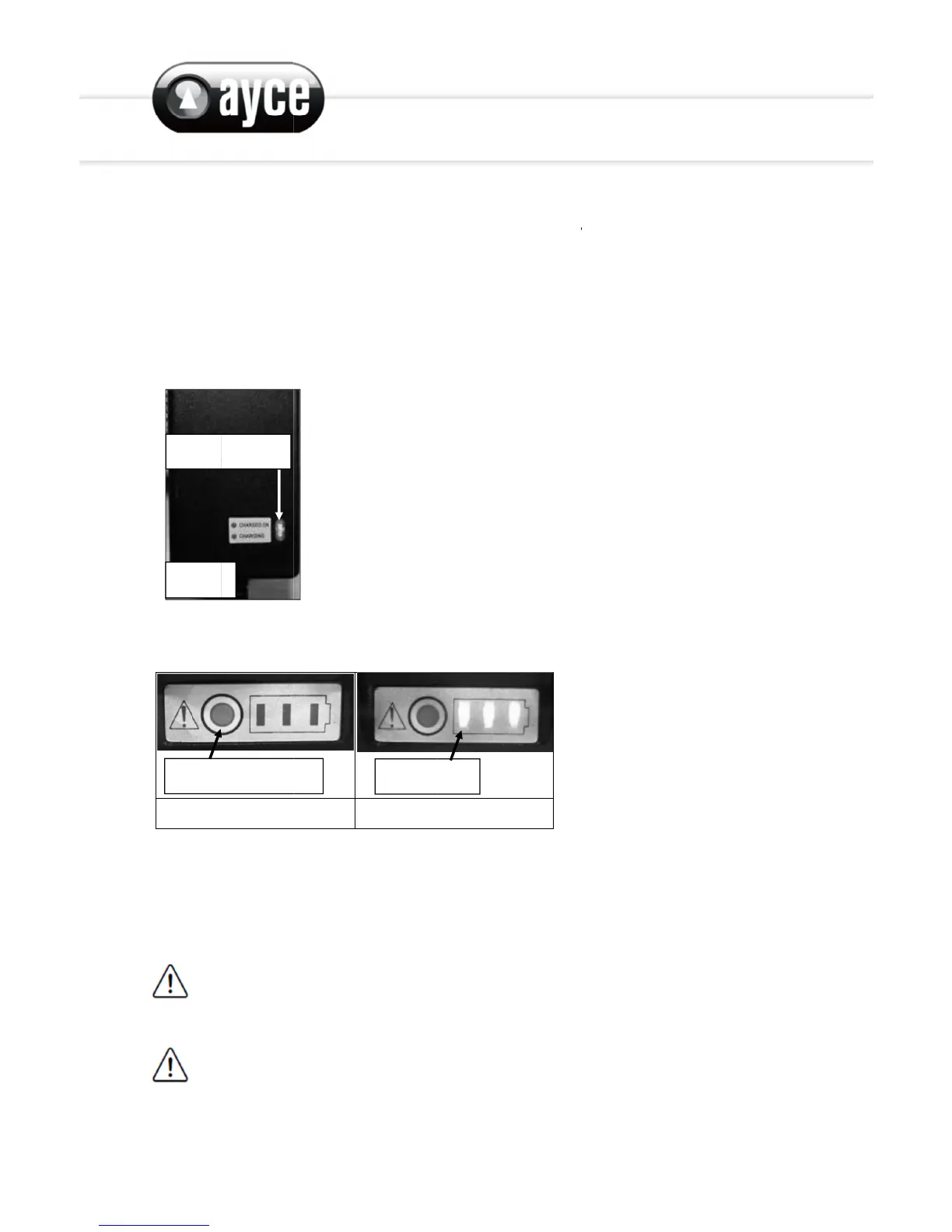
Fig. 11
n
ect the c
h
he releas
e
s
normal f
p
rocess. I
f
outlet is "
c
harger (F
D
on charg
D
on charg
c
apacity
i
capacity
b
p
acity
arge, the
i
n
” to show
b
attery:
ttery light
ttery light
-
discharg
e
R
NING! Al
w
battery c
o
r
om the p
o
t
y button
charger
h
arger fro
m
e
button a
n
or the bat
t
f
the batte
live".
ig.11):
er lights
u
er lights
u
i
ndicato
r
b
utton to c
H
i
ndicators
the batte
r
s up gree
n
s up gree
n
e
of batteri
w
ays char
g
o
nnected
w
o
wer sup
p
m
the po
w
n
d remov
e
t
ery and c
ry does n
o
u
p red: Ba
t
u
p green:
C
r
s
heck the
b
H
igh capa
c
on the ba
t
r
y capacit
y
n
and blin
k
n
: Chargin
g
es! Remo
v
g
e the bat
w
ith the c
h
p
ly when it
Indicato
w
er supply
.
e
the char
g
harger to
o
t charge
p
t
tery is ch
a
C
harging c
b
attery ca
p
c
ity
t
tery blin
k
y
.
k
: Battery i
g
complet
e
v
e the batt
tery befo
r
h
arger for
is not us
e
rs
.
g
er conne
c
become
w
p
roperly,
c
a
rging
ompleted
p
acity (as
t
k
one after
s chargin
g
e
d
ery from t
r
e storage
more tha
n
e
d for cha
r
c
tor from
t
w
arm (but
n
c
heck to
m
t
able belo
w
another
a
g
he charge
! To redu
c
n
24 hour
s
r
ging!
t
he batter
y
n
ot hot) d
u
m
ake sure
t
w
).
a
nd gradu
a
r once it i
s
c
e risk of f
s
! Disconn
y
.
u
ring
t
he
a
lly turn
s
fully
ire, neve
r
ect the

Related product manuals