5958
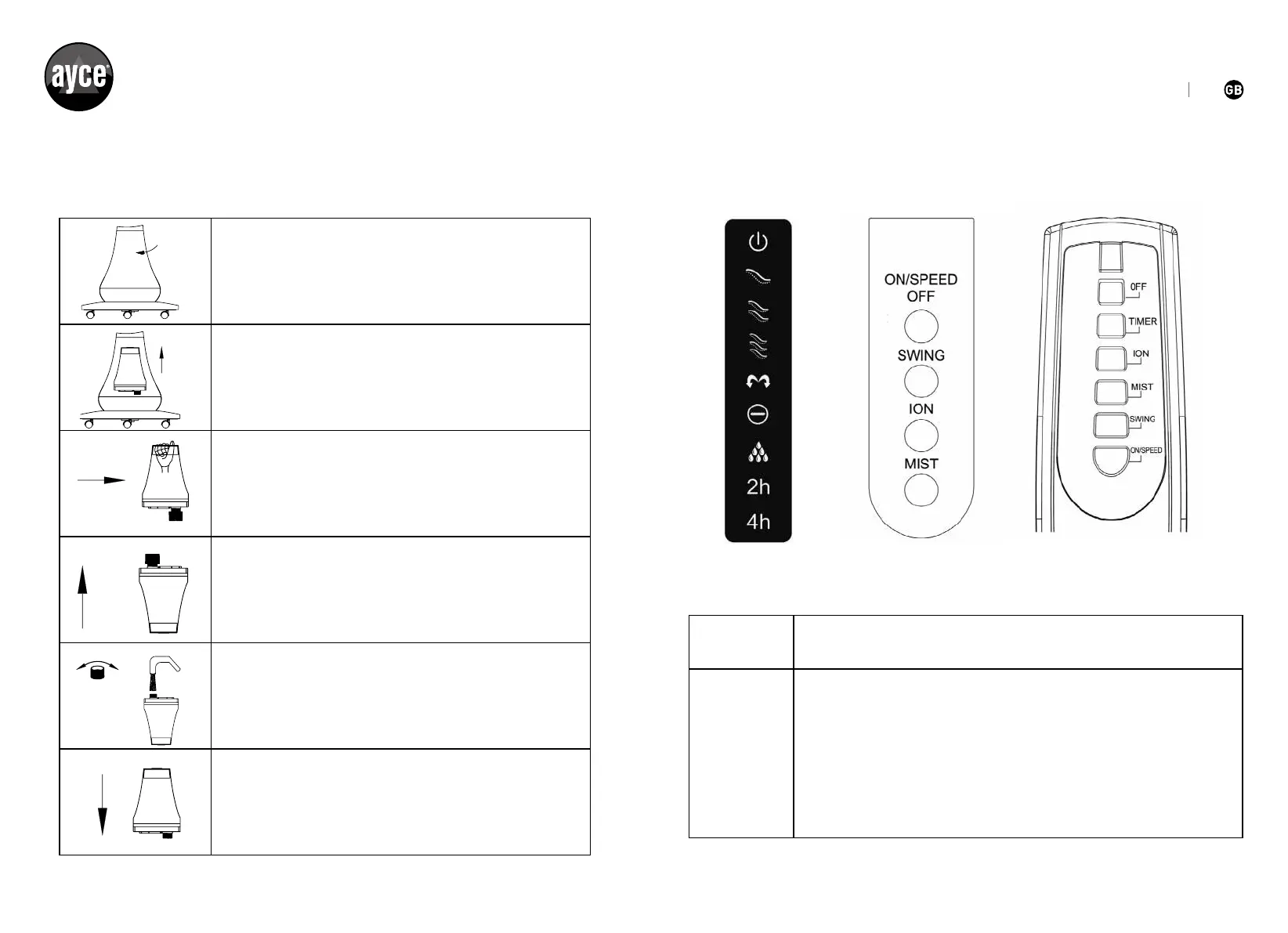
2. Install water tank according to below instructions.
1. Open the water tank cover.
2. Lift the water tank evenly.
3. Take out the water tank evenly.
4. Allow the tank to stand in the correct position.
5. Open the tank cover and input water.
6. Install the water tank cover tightly and re-install it to
the fan and close the panel.
OFF Press this button to turn off the fan.
TIMER
When the unit is in use, you can set the Timer to turn off the
fanafterthespeciedtime.Pressthisbuttonrepeatedly
toincreasetheTimersettingin2hourincrements(uptoa
maximumof6hours)asindicatedontheLEDDisplay.After5
seconds, the Timer starts. Once the Timer has run out, the unit
will turn off.
Display screen & Control panel
(1)Displaypanel (2)Controlbutton (3)Remotecontrol


 To Next Page