Areas of applicaon
Educaon and teaching: Use in schools, universies and training instuons to teach the basics of electronics, programming
and embedded systems. Research and development: Use in research and development projects to create prototypes and
experiments in the elds of electronics and computer science. Prototype development: Use in the development and tesng
of new electronic circuits and devices. Hobby and Maker Projects: Used by electronics enthusiasts and hobbyists to develop
and implement DIY projects.
Required knowledge and skills
Basic understanding of electronics and electrical engineering. Knowledge of programming, especially in the C/C++ programm-
ing language. Ability to read schemacs and design simple circuits. Experience working with electronic components and
soldering.
Operang condions
The product may only be operated with the voltages specied in the data sheet to avoid damage. A stabilized DC power
source is required for operaon. When connecng to other electronic components and circuits, the maximum current and
voltage limits must be observed to avoid overloads and damage.
Environmental condions
The product should be used in a clean, dry environment to avoid damage caused by moisture or dust. Protect the product
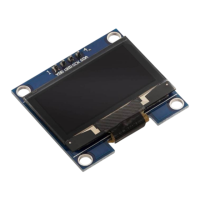
from direct sunlight (UV), as this can negavely aect the lifespan of the display.
Intended Use
The product is designed for use in educaonal, research and development environments. It is used to develop, program and
prototype electronic projects and applicaons. The product is not intended as a nished consumer product, but rather as a
tool for technically savvy users, including engineers, developers, researchers and students.
Improper foreseeable use
The product is not suitable for industrial use or safety-relevant applicaons. Use of the product in medical devices or for avia-
on and space travel purposes is not permied
disposal
Do not discard with household waste! Your product is according to the European one Direcve on waste electrical and
electronic equipment to be disposed of in an environmentally friendly manner. The valuable raw materials contained therein
can be recycled become. The applicaon of this direcve contributes to environmental and health protecon. Use the col-
lecon point set up by your municipality to return and Recycling of old electrical and electronic devices. WEEE Reg. No.: DE
62624346
electrostac discharge
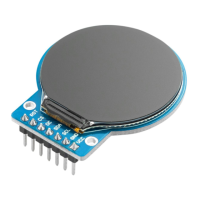
The display is sensive to electrostac discharge (ESD), which can damage or destroy the electronic components. Please note
the following safety instrucons to avoid ESD hazards: Aenon: Electrostac charges on your body can damage the display.
Note: Ground yourself by wearing an an-stac wrist strap connected to a grounded surface or by touching a grounded metal
surface before handling the display. Aenon: Use an-stac mats and bags to protect the display. Note: Place the display on
an an-stac work mat and store in an-stac bags when not in use. Note: A clean and grounded workplace minimizes the
risk of ESD. Acon: Keep your workplace clean and free of materials that can generate electrostac charges. Make sure all
surfaces used are grounded. Aenon: A clean and grounded workplace minimizes the risk of ESD. Note: Keep your workpla
-
ce clean and free of materials that can generate electrostac charges. Make sure all surfaces used are grounded.
safety instrucons
Although the display complies with the requirements of the RoHS Direcve (2011/65/EU) and does not contain any hazar-
dous substances in quanes above the permied limits, residual chemical hazards may sll exist. Please note the following
safety instrucons: Aenon: The back of the display and the circuit board can release chemical residues from manufactu-
ring or during operaon. Note: Wear protecve gloves when handling or installing the display for a long me to avoid skin
irritaon. Cauon: Electronic components can emit small amounts of volale organic compounds (VOCs), especially if the
display is new. Note: Make sure you work in a well-venlated area to minimize the concentraon of fumes in the air. Cauon:
Do not use harsh chemicals or solvents to clean the display as they may damage the protecve coang or electronics. Note:


 To Next Page