Need help?
Do you have a question about the Azden PCS-6000H and is the answer not in the manual?
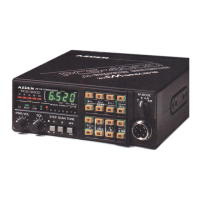
Microcomputer controls scanning, channel selection, and display functions.
Receives 118-174MHz, transmits 140-150MHz; covers MARS/CAP.
Receives AM band from 118.000 to 135.99MHz.
Two banks (A, B) with 10 channels each, plus one temporary memory.
Supports dual memory, programmable band, hold, and delay scan.
Monitors memory channel A0 every four seconds for signals.
Frequency steps can be set from 5kHz to 20kHz.
Features 57 tones, programmable into each memory channel.
LED-illuminated, touch-sensitive keyboard for operations.
Displays frequency, S/RF, memory, and functions with green LED backlight.
A scanning feature unique to Azden products.
Push button to turn the unit ON or OFF.
Adjusts sound volume by turning the knob clockwise.
Eliminates background noise; can use sub-audible tone for reception.
Selects operation modes; LED illuminated for darkness.
Lit when transmission occurs below receiving frequency per preset shift.
Lit when transmission occurs above receiving frequency per preset shift.
Indicates when transmit and receive frequencies differ in memory channels.
Indicates when the reverse operation mode is active.
Lit when the transmitter output is set to low power.
Shows signal strength (receive) or output power (transmit).
Indicates scanning is in HOLD mode, pausing on occupied channels.
Lights up when the PTT switch is depressed for transmission.
Lights up to indicate the unit is in priority mode.
Indicates tone encoder or decoder is activated.
Lights up when receiving signals over the squelch threshold.
Shows the current memory bank and address (0-9).
Shows selected memory bank (A or B) or both for continuous scan.
Lights up when the unit is in memory mode for address/scan keys.
Lights up when the 'F' key is pressed, enabling other key functions.
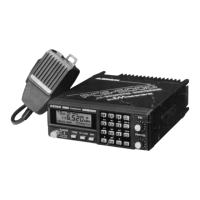
Connects the supplied control microphone.
Set or change frequencies using UP/DOWN keys, 5kHz steps by default.
Hold UP/DOWN keys for rapid frequency changes.
Use F + UP/DOWN keys to change frequency by 1MHz increments.
Use F + H/L keys to select high or low power output.
Use F + SHIFT key for +/- 600kHz shift, programmable.
Press REV key to swap transmit/receive frequencies for repeaters.
Activate tone encoder/decoder using F + TONE key.
Procedure to set receive frequency and optional tone code using program mode.
Procedure to set transmit frequency and optional tone code, or make them same as receive.
Configure scanning mode, frequency step, and shift width during programming.
How to call the default memory channel A0 upon power-on or mode release.
Change the memory address using UP/DOWN keys when M MODE is lit.
Select memory bank A or B using the A/B key.
Select between Memory Mode and UP/DOWN mode using the M MODE key.
Store current settings to temporary memory or recall stored content.
Scans only channels in memory bank A in sequence.
Scans only channels in memory bank B in sequence.
Scans alternately through both memory banks A and B.
Scans a specified frequency band between stored channel limits.
Identifies when band scanning is disabled due to mixed AM/FM signals.
Scan stops by pressing UP/DOWN or other keys.
Press the SCAN key to resume scanning after it has stopped.
PTT switch stops scan; second press initiates transmission.
Monitors memory channel A0 for signals every four seconds.
Press the PRI key again to exit priority mode.
Dual watch doesn't occur with A0; no transmission on A0 during dual watch.
Depress PTT switch to transmit; TX indicator lights up.
Function like unit's UP/DOWN keys for frequency change.
Calls memory channel A0 directly, regardless of current mode.
Use keypad keys for DTMF encoder function; auto-transmits on key press.
Depress PTT to transmit; TX indicator on LCD lights up.
Change frequency by step or rapid change by holding.
Directly calls memory channel A0, regardless of unit's operation mode.
 General
| Brand | Azden |
|---|---|
| Model | PCS-6000H |
| Category | Transceiver |
| Language | English |

 To Next Page