EasyManua.ls Logo

azur DacMagic 100 - User Manual

azur DacMagic 100
29 pages
Print Icon
To Next Page IconTo Next Page
Loading...
Quick
Start
azur
DacMagic
100
How
to
configure
a
basic
system
lnbetriebnahme
fiir
Ungeduldige
Konfigurieren
eines
einfachen
Systems
oemarrage
rapide
Comment
configurer
un
systeme
simple
Guia
r8pida
Como
configurar
un
sistema
basico
Avvio
rapido
Come
configurare
il
sistema
di
base
Snel
starten
Hoe
u
een
basis
systeem
configureert
Kom
hurtigt
i
gang
Sadan
konfigureres
et
almindeligt
system
SbiCTpaA
ycTaHOBKa
KaK
CKOHCilMrypMpOB8Tb
OCHOBHYIO
K8H8nbHYIO
CMCTeMy
8
Cambridge
Audio
Your
music+
our passion
Question and Answer IconNeed help?

Do you have a question about the azur DacMagic 100 and is the answer not in the manual?

Summary

Quick Start Guide

Whats in the Box?

Set-up

Introduction

Important Safety Instructions

Certifications and Regulations

Limited Warranty

Rear Panel Connections

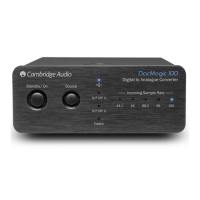
Front Panel Controls

Power On;Standby

Controls the unit's power state between on and low power standby.

Source Selection

Allows selection between USB, SPDIF 1, SPDIF 2, and Toslink inputs.

Incoming Sample Rate Indicator

Indicates the incoming digital sampling frequency via LEDs.

Audio Output Connections

Digital Audio Input Connections

PC-USB Connections

Advanced USB Audio Features

Troubleshooting

Technical Specifications

azur DacMagic 100 Specifications

General IconGeneral
Brandazur
ModelDacMagic 100
CategoryMedia Converter
LanguageEnglish