Need help?
Do you have a question about the AZZA Blizzard Series and is the answer not in the manual?
Attaching mounting brackets to the CPU cooler base.
Orienting the bracket for the correct CPU socket type.
Installing standoffs on the motherboard for cooler mounting.
Securing standoffs to the motherboard before cooler placement.
Mounting the CPU cooler onto the prepared motherboard.
Attaching mounting brackets to the CPU cooler assembly.
Securing the CPU cooler to the motherboard.
Mounting the CPU cooler onto the AMD motherboard.
 General
| Series | Blizzard Series |
|---|---|
| Color | Black |
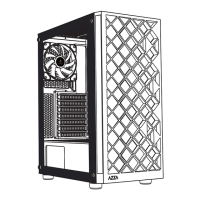
| Motherboard Compatibility | ATX, Micro-ATX, Mini-ITX |
| Expansion Slots | 7 |
| Fan Size | 120mm |
| Material | Steel, Plastic |
| Drive Bays | 2 x 2.5" |
| Front Ports | Audio In/Out |
| Radiator Support | 240mm |
| Maximum GPU Length | 320mm |
| Power Supply | ATX (not included) |
| Features | Tempered glass side panel |
| Cooling System | Pre-installed fans |

 To Next Page