Need help?
Do you have a question about the AZZA SPECTRA and is the answer not in the manual?
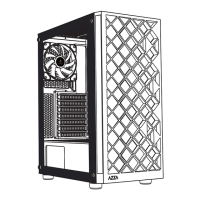
The AZZA Spectra is a mid-tower ATX computer case designed to house and protect various PC components while offering aesthetic appeal and efficient cooling solutions. This user manual provides comprehensive instructions for installing and utilizing the case's features, ensuring a smooth build process and optimal performance.
The primary function of the AZZA Spectra is to serve as an enclosure for a computer system, accommodating essential components such as the motherboard, CPU, GPU, storage drives, and power supply. It is designed to support ATX, Micro ATX, and ITX motherboards, offering flexibility for various build configurations. The case's structure is engineered to facilitate organized component placement, cable management, and effective heat dissipation, which are crucial for system stability and longevity.
The AZZA Spectra boasts several features that enhance its usability and appeal. The case includes a high-quality tempered glass side window, providing a clear view of the internal components and allowing users to showcase their build. This transparent panel is secured with rubber mounts, minimizing vibrations and ensuring a snug fit.
For storage, the case offers versatile options. It supports one 3.5" HDD in a multifunctional hard disk bracket and one 3.5" HDD or 2.5" SSD in a multifunctional hard disk cage. Additionally, two dedicated mounting holes are available for 2.5" SSDs, providing ample space for various storage configurations. The design ensures that storage drives are securely installed and easily accessible for maintenance or upgrades.
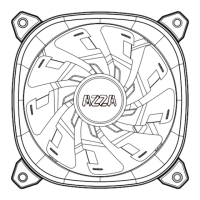
The front panel of the case features a comprehensive set of I/O ports and controls, including a power button, an LED button, HD Audio jacks, one USB 3.0 port, and two USB 2.0 ports. These conveniently located ports allow for easy connection of peripherals and external devices. The LED button is a key feature, enabling users to cycle through different Addressable RGB (ARGB) lighting modes, adding a personalized touch to their system's aesthetics. The case comes with one 120mm LFO-3612D ARGB fan pre-installed in the rear, contributing to both cooling and visual effects.
Cooling is a significant aspect of the AZZA Spectra's design. The front of the case supports up to three 120mm fans or two 140mm fans, with the option to install radiators up to 240mm for liquid cooling solutions. The top of the case can accommodate two 120mm fans, and two additional 120mm fan ports are located on the top of the PSU shroud, further enhancing airflow. The rear of the case supports one 120mm fan, which is where the included ARGB fan is typically placed. This extensive fan support ensures efficient heat dissipation, preventing thermal throttling and maintaining optimal performance for high-end components.
The case is designed to accommodate long video cards, with support for GPUs up to 290mm in length, allowing users to install powerful graphics cards for gaming and demanding applications. It also supports CPU coolers up to 170mm in height, providing compatibility with a wide range of aftermarket cooling solutions.
Maintaining the cleanliness and longevity of the AZZA Spectra is made easier with several thoughtful features. The case includes removable dust filters on the top and bottom, as well as a removable magnetic dustproof net on the front. These filters prevent dust and debris from entering the system, which can accumulate on components and hinder cooling performance. The magnetic design of the filters allows for easy removal and cleaning, ensuring that the internal components remain free from dust buildup. Regular cleaning of these filters helps maintain optimal airflow and extends the lifespan of the PC components.
The tempered glass side panel is secured with screws, making it easy to remove for internal access during installation, upgrades, or cleaning. The overall chassis design emphasizes accessibility, allowing users to perform maintenance tasks with relative ease. The shock-proof stand at the bottom of the case helps to absorb vibrations and protect the case from minor impacts, contributing to its durability and stability.
The Addressable RGB lighting system, controlled by the LED button, not only enhances the visual appeal but also simplifies the management of lighting effects. Users can easily switch between 13 different ARGB lighting modes without needing to access complex software, making customization straightforward. The fan installation instructions detail how to connect the master fan to sub-fans and the power supply via SATA, ensuring proper functionality of the cooling system and its lighting. The reset switch can also be connected to the LED button, offering an alternative way to control the ARGB lighting.
 General
| Form Factor | ATX |
|---|---|
| Color | Black |
| Motherboard Compatibility | ATX, Micro-ATX, Mini-ITX |
| Drive Bays | 2x 2.5", 2x 3.5" |
| Expansion Slots | 7 |
| Material | Steel, Tempered Glass |
| Radiator Support | Up to 360mm |
| Side Panel Window | Tempered Glass |

 To Next Page