Pairing your Pulse device to a mobile device:
Once your Babolat app installed on your phone and your account created, pair your pulse
to your phone. It will allow you to sync your data and manage your pulse device settings:
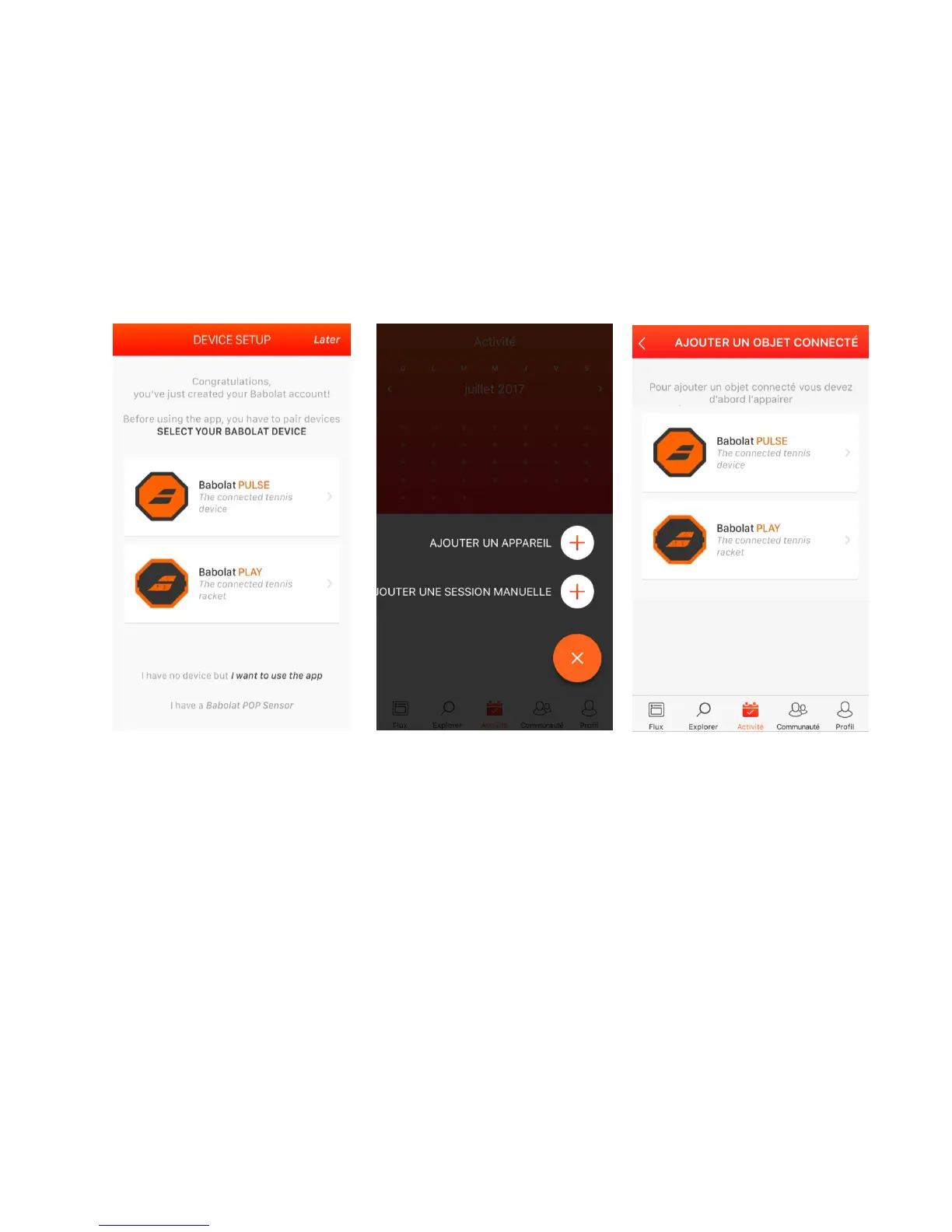
If you just registered, select your pulse device. See (a)
If you just logged in follow the steps below:
Click on activity > click on + > click on “add a device” (b) > select your pulse (c)
(a) (b) (c)



 To Next Page