Copyright 2004-2024 Baby Lock USA
Customer Support: 1-800-313-4110
BLMA Ver.2.11 Software Update – p.1
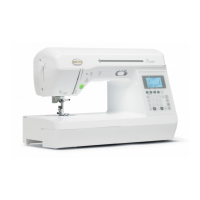
Baby Lock Meridian
(Model BLMA)
Software Update Version 2.11
March 2024
Introduction
If the software version of your Meridian (Model BLMA) is earlier than version 2.11, an update
program is now available for download to improve its performance.
To learn new features, read the instructions about “Features Added with Update Ver. 2.0”
in the Instruction and Reference Guide Addendum.
Version 2.11 update will provide the following changes:
1. Improved PHX data compatibility with multi-needle embroidery machines.
How to confirm the software version of your BLMA
1. Press the power switch to "|" to turn on your machine.
2. If the opening movie is played, touch anywhere on the LCD screen.
3. Press (Machine setting key) to display the machine's settings screen.
4.
The machine's settings screen appears.
5.
Switch the settings screens by using (Previous page key) or (Next page key) to
display the machine's program version.

 Need help?
 General





 To Next Page