Fyrite
®
User Software Installation Instructions
0024-9465 Rev 3 5
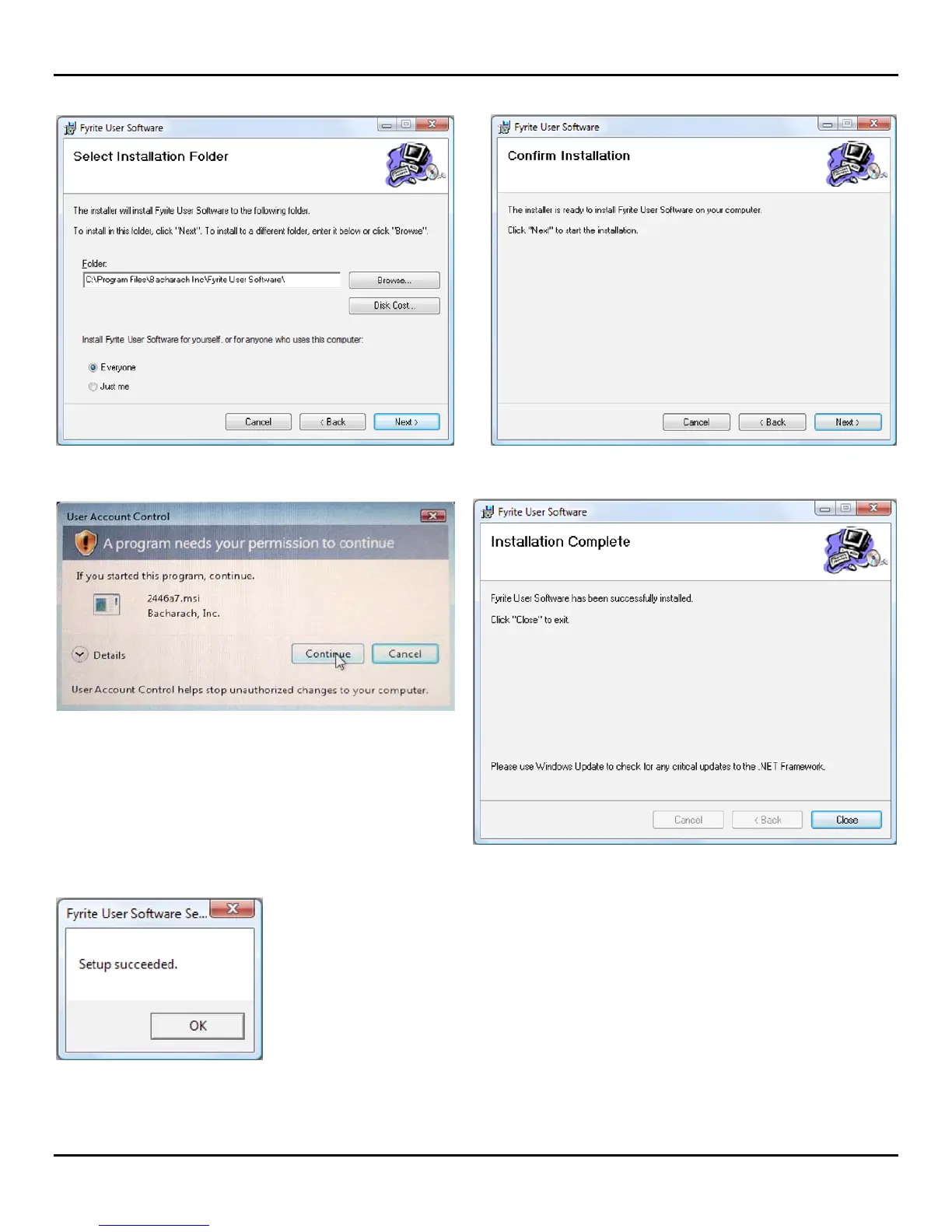
9. Click on Next. 10. Click on Next.
11. The installation will progress. Click Continue. 12. The installation will progress. Click on Close.
13. Click on OK.
14. After installation
Open Fyrite® User Software via the desktop icon.
Connect the instrument to the PC with a USB cable.
Power up the unit.
When first connected, a “Found New Hardware
Wizard” screen will be displayed.



 To Next Page