Fyrite
®
User Software Installation Instructions
0024-9465 Rev 3 7
4. Installation: Windows 7
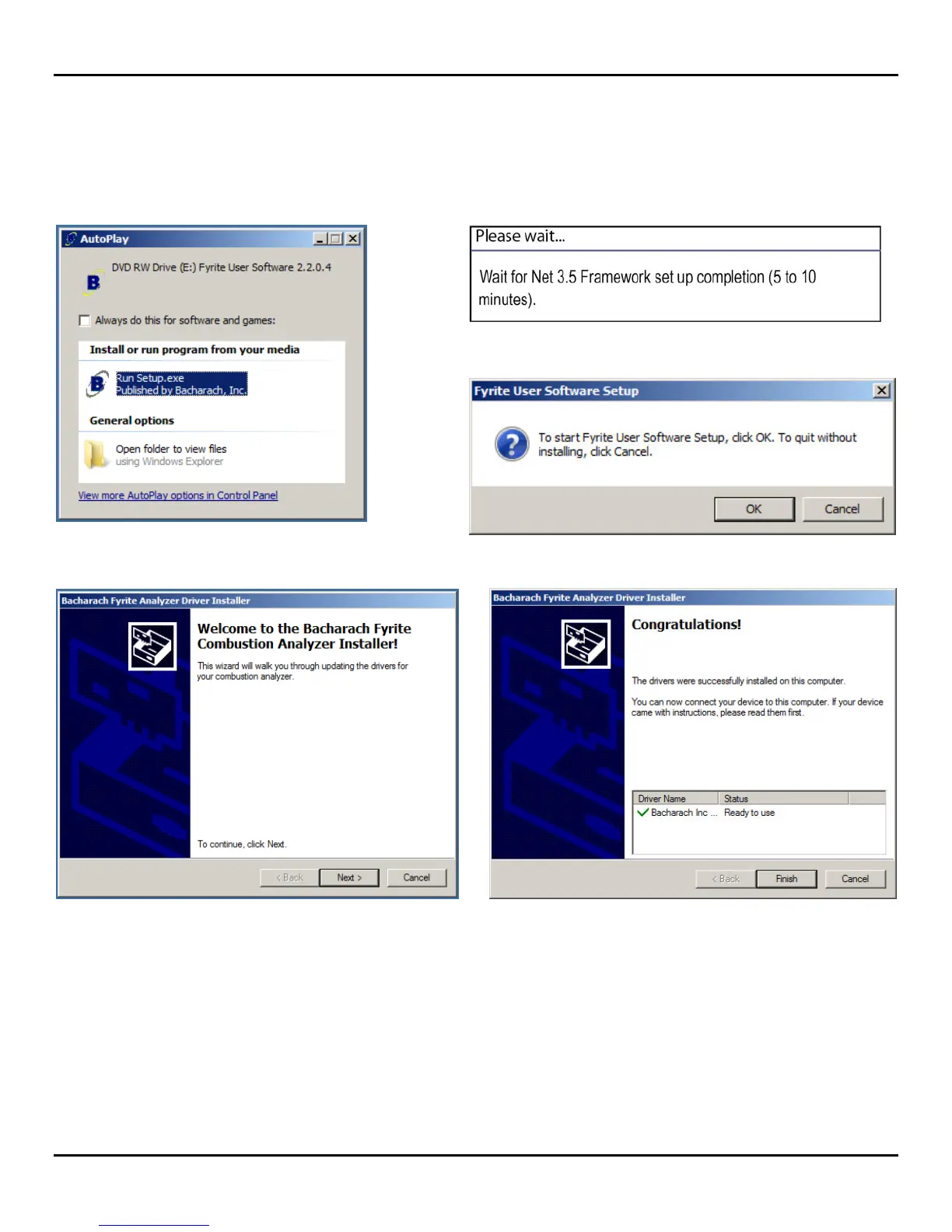
After loading the CD, the AutoPlay window will be displayed. Click on Run Setup.EXE. If applicable, wait for the Net 3.5
Framework set up to complete. Then follow the instructions listed below.
1. Click on Run Setup.exe.
2. Wait for Net 3.5 Framework set up completion (optional).
3. Click on OK.
4. Click on Next. 5. Click on Finish.



 To Next Page