Fyrite
®
User Software Installation Instructions
0024-9465 Rev 3 9
12. After installation
Open Fyrite® User Software via the Start menu.
Connect the instrument to the PC with a USB
cable.
Power up the unit.
When first connected, a “Found New Hardware
Wizard” screen will be displayed.
13. For further information about the use of this product,
refer to the Fyrite® user manual.
5. Fyrite
®
User Software Overview
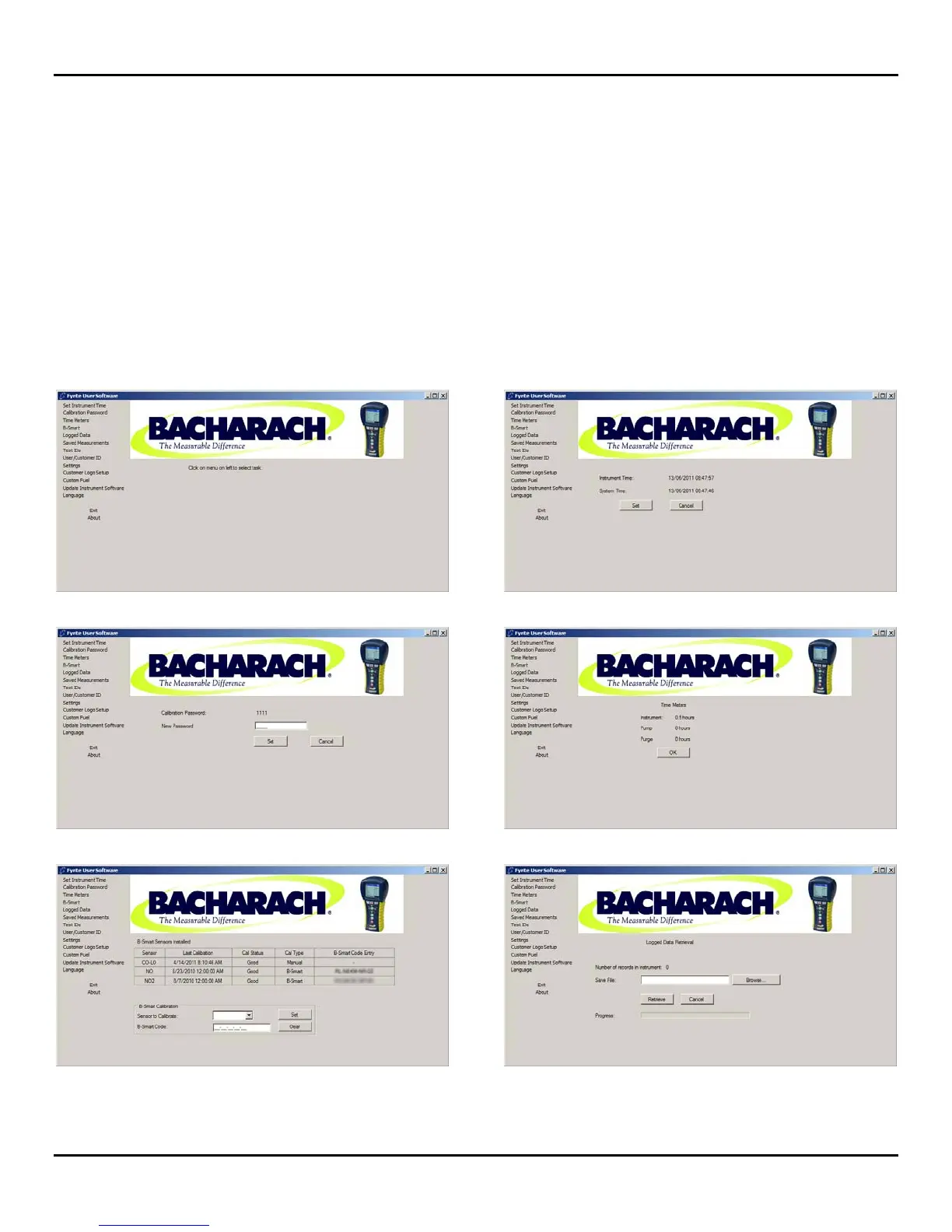
This section shows sample menu screens of the Fyrite
®
User Software. Note that your screens may vary depending on
the instrument that is connected.
Main Screen Set Instrument Time
Calibration Password Time Meters
B-Smart Logged Data



 To Next Page