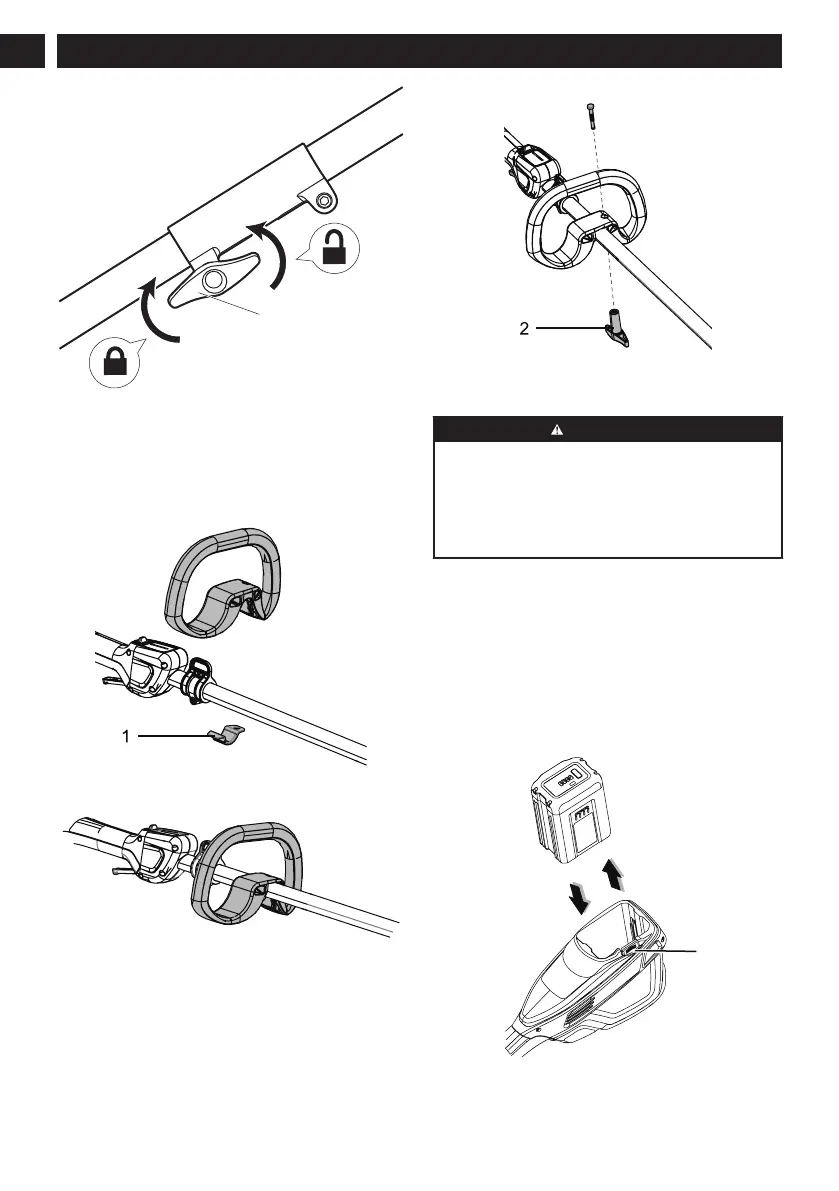
8.4 ATTACH THE AUXILIARY HANDLE
1. Remove the knob from the handle.
2. Attach the auxiliary handle and lower clamp (1) on
the shaft.
3. Set the auxiliary handle in the comfortable position.
4. Put the bolt through the holes...
5. Tighten the auxiliary handle with the knob (2).
8.5 INSTALL THE BATTERY PACK
WARNING
• If the battery pack or charger is damaged, replace
the battery pack or the charger.
• Stop the machine and wait until the motor stops
before you install or remove the battery pack.
• Read and understand the instructions in the
battery and charger manual.
1. Align the ribs on the battery pack with the grooves in
the battery compartment.
2. Push the battery pack into the battery compartment
until the battery pack locks into place.
3. When you hear a click, the battery pack is installed.
8.6 REMOVE THE BATTERY PACK
1. Push and hold the battery release button (1).
2. Remove the battery pack from the machine.
8
English
EN


 To Next Page