*Voir conditions page 11
Balancelle
Easy
Baby Station
<
9kg
13
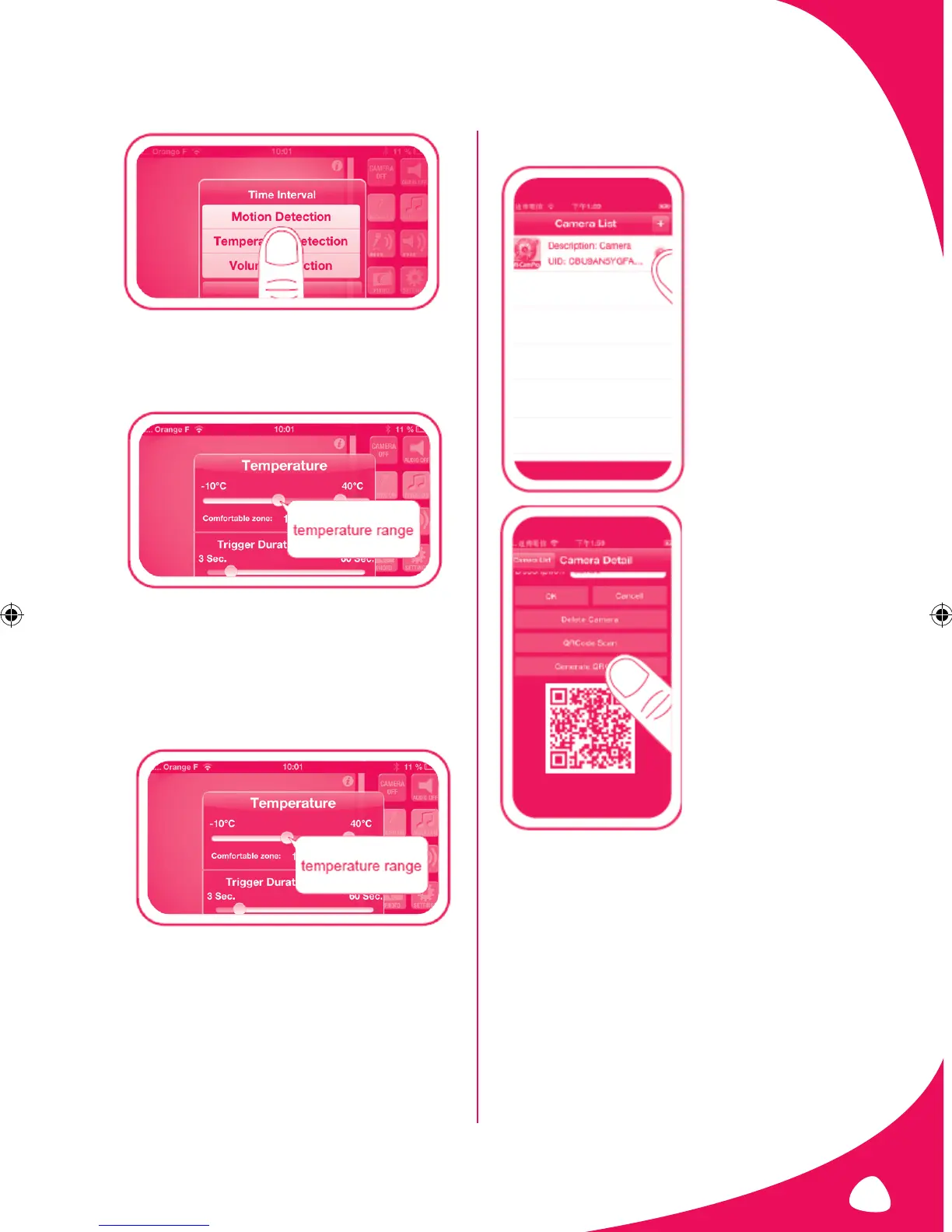
-You can adjust the frequency of the notifications using the
“Trigger duration” cursor.
-You can also select the time after which once the
temperature is exceeded you want to receive a notification.
If the temperature is abnormal based on your settings, you
will receive a «Temperature abnormal» notification.
• Setting the sound volume notication
- Go to “Volume Detection”.
- Set the sound level above which you want to be alerted.
- Select the detection duration of your baby’s parameterized
sound volume above which you want to receive a notification.
When your baby cries, you will receive a “Voice too loud”
notification.
• CONNECTING A 2
ND
SMARTPHONE
-Go to the camera list and
press the arrow to the right of
your camera’s name.
Press “Generate QRCode”.
The QR Code appears at the
bottom of the window.


 To Next Page