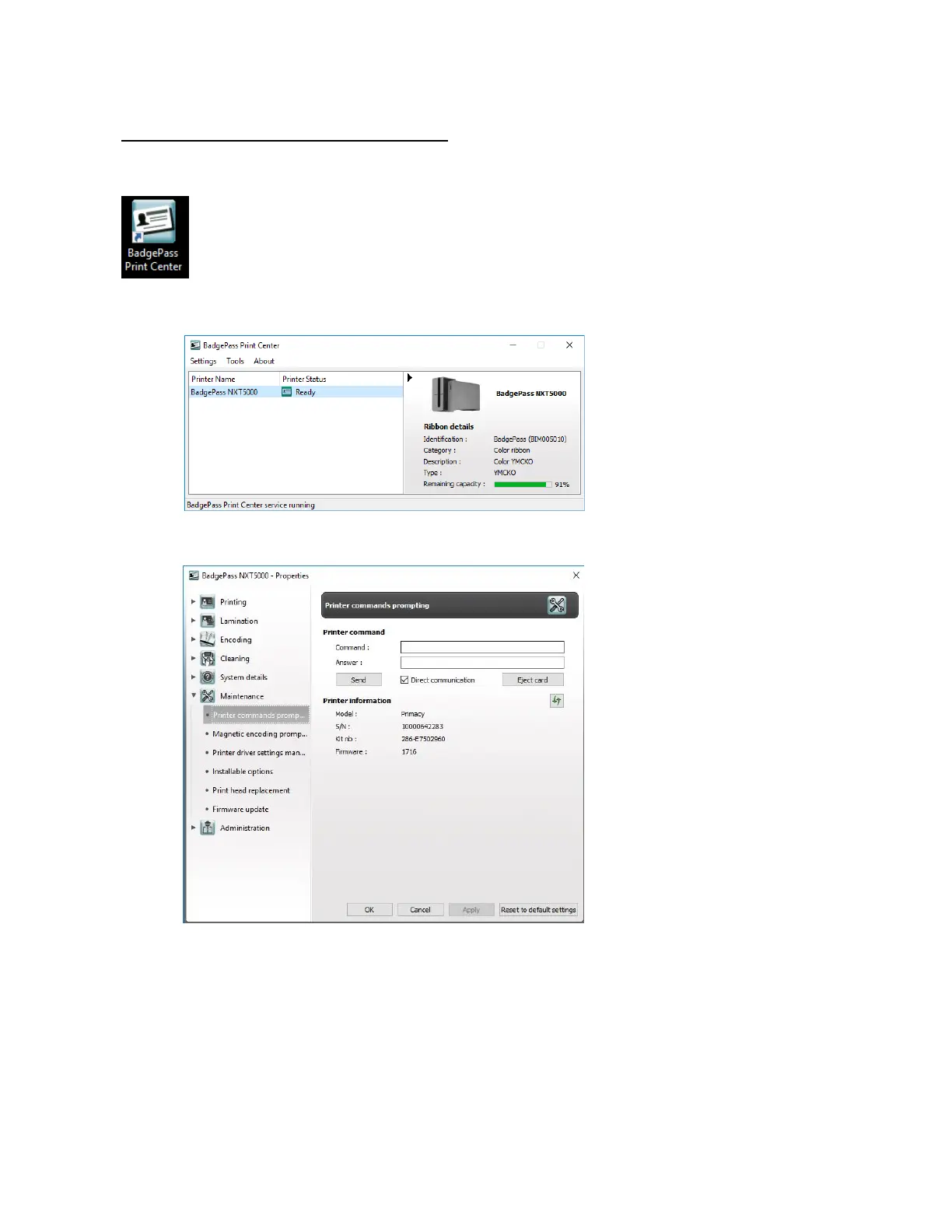
Accessing the command prompt
• Open the BadgePass Print Center
• Select the desired printer. Double click the printer or right click and choose Properties
• Navigate to the Maintenance\Printer commands prompt section.
• Enter the desired command from the list of commands above in the Command box.
• The printer will respond accordingly in the Answer box.



 To Next Page