AWA Troubleshooting
8. AWA has a black screen after being
transported, even though fans, etc… are
working
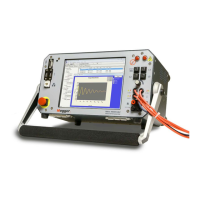
a. All AWA testers manufactured since 1994 have had LCD (Liquid Crystal Display)
panels. Due to the constant changes seen in the portable computer market, the I/O
connectors used on these displays are small and relatively weak. To repair this
problem, remove the top cover of the AWA tester, and get access to the rear of the
LCD panel. Often times, it is possible to restore function by pressing home the Hirose
connector on the back of the LCD.
b. Plug a VGA compatible external monitor into the VGA port of the AWA tester. If the
display appears on the screen, the problem is related to the LCD display.
9. AWA has a black/gray screen with very
faint text seen, and VGA output appeasrs
normal when an external VGA monitor is
plugged in.
a. All AWA testers have what is called “Back-light Inverters”, these are small power
supplies that convert DC to high frequency/high voltage AC, used to excite the TFT
LCD displays. If these fail, the screen will display text, but without backlight
excitation, the text appears very dim. Replace the backlight inverter, usually held in
place with double-sided tape.
10. AWA never properly concludes a PI
test, always stops after 5 minutes
a. Check the display properties, if the user has turned on the screen saver function, the
AWA will interpret the function as user intervention and abort the test. If a screen
saver is desired, be sure to set it to 15 minutes or longer before activation.


 To Next Page
 Loading...