8
Er ror Messages
7. Don't apply pressure to the tip. Move pressure does not equal more
heat. To improve heat transfer, use solder to form a thermal bridge
between the tip and the solder joint.
8. Use clean ball instead of wet sponge because water can oxidize the
tip.
Various error message will be displayed when some problem with the unit.
If the following message is displayed, see the trouble-shooting guide.
S-E Sensor Er r or
If there is a possibility of a failure in the sensor or anywhere in the sensor
circuit, “S-E” will be displayed and the current to the iron will be cut off.
H-E Heater Error
If iron doesn't heat up, the display window will show “H-E”. This indicates
the possibility of a heater malfunction.
Trouble Shooting
War nning:
Disconnect the power cord before servicing. Failure to do so may result in
electric shock.
If the controller is damaged, it must be repaired by the service agent or
qualified person in order to avoid personal injury or damage to the unit.
Problem 1:The unit does not work
1.Check if the power cord is loose, if yes re-plug.
2.Check if the fuse burnt?after confirm the reason why fuse burnt, please
replace a new fuse. Please refer to the reason why fuse burnt as below:
● Short circuit happens inside of hgih frequency iron
● Does grounding wired touch the heater?
● Is the lead of heater twisted?
3. Check if the cord is broken, if yes, please replace a new cord.
3
1. Take out the iron holder and let the cleaning box toward operator, and
put the clea ing ball into the box.
2. Put iron into the iron holder. Make sure it is suitable for cleaning tips.
3. Connect the iron to controller as showed.
4. Put the iron into the iron holder.
5. Plug power cord and remember grounding well.
6. Make sure a soldering tip is installed before the power on, then turn
power on.
7. Preset temperature is 350℃ , The heater indicator flash when the
temperature has stabilized.
8. Press ◎ for display to work mode for 2S.
Setting the Temperature
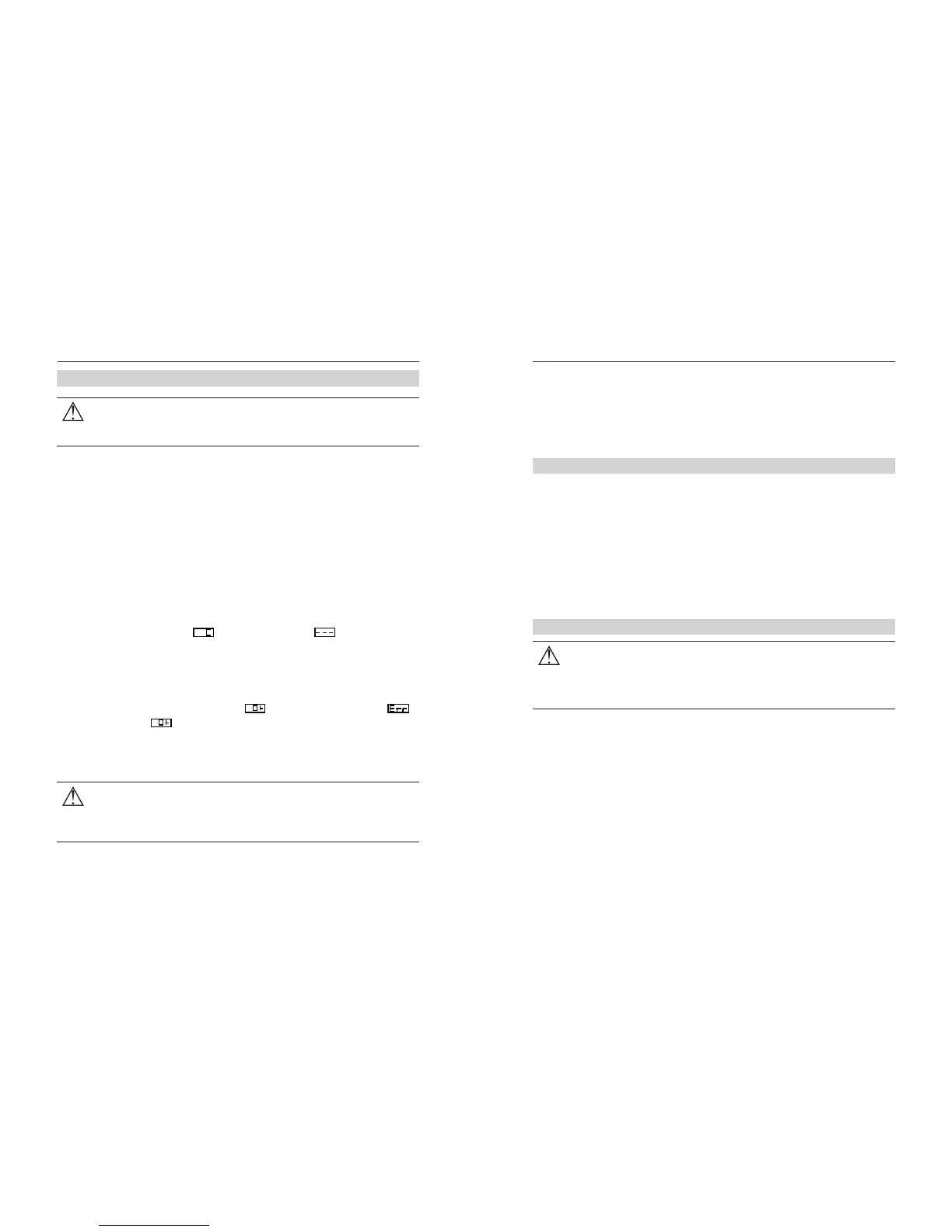
1. Press and hold ◄or ► at the same time,then turn power on.
2. Press ◎ after display ,display change to means it enters
into passward setting mode.
3. Press ◎ ,the left digit will flash, and press ◄or►to enter password
number.
4. Press ◎ to move to next digit, after entered all number, press ◎
again to confirm.
5. If the password is correct, display ,or incorrect will display .
6. While display , the temperature can be adjusted by pressing ◄
or ►, and press◎ to confirm.
Be sure to turn off the unit before connecting or disconnecting the
soldering iron. Failure to do so may damage soldering station.
CAUTION:
Note: The temperature can be adjusted until power off, and will reload the
setting at next time power on. High temperature (above than 400℃ ) may cause
heater and tip oxidized and damaged, so please try to operate in low temperature
(350℃ ~400℃ ).
Setup and Operation


 To Next Page
 Loading...