EasyManua.ls Logo

Balboa Water Group BWA - User Manual

Balboa Water Group BWA
2 pages
Print Icon
To Next Page IconTo Next Page
Loading...
bwa™ for ios devices
Welcome Kit
Control your tub from your smartphone
Note: Place the
Wi-Fi module
away from any
metal tub
supports.
1-2-3 EASY INSTALLATION GUIDE
bwa™ Wi-Fi Module
Note: Black Wi-Fi cable.
WARNING!
SYSTEM
SIDE VIEW
If you do not see the Wi-Fi
connector from your system.
Please contact an electrician
or your local spa technician to
connect the Wi-Fi connector
for you. DO NOT OPEN THE
SPA SYSTEM AND ATTEMP
TO CONNECT THE WI-FI
CONNECTOR YOURSELF.
The high electrical voltage
may harm or kill you.
1219BPWI-FI_42238
©2019 Balboa Water Group. Single Source Solution. All rights reserved.
3030 Airway Avenue | Costa Mesa, CA 92626 | p 714.384.0384 | www.balboawater.com
Balboa has the right to change technical data without notice.
spaTouch 3 Plus
(09/03/19) The GUI has not been nalized. These are concept drawings.
spaTouch 3
1
3
2
Package Contents
Finished Installation Overview
Connecting The Wi-Fi Module
1-2-3 Easy Installation Guide
bwa™ Wi-Fi Module (50350)
Y-Splitter (25657)
bwa™ Welcome Kit
STOP
Make sure your spa
is turned OFF before
you continue
After the Wi-Fi wire module is inserted,
gently pull on the wire to make sure the clip
is securely in place and will not come lose.
Make sure the clip is
in the correct position
You will hear a CLICK
once connected.
bwa™ for ios devices
Welcome Kit
Control your tub from your smartphone
Question and Answer IconNeed help?

Do you have a question about the Balboa Water Group BWA and is the answer not in the manual?

Summary

Package Contents

Included Components

Lists the bwa™ Wi-Fi Module, Welcome Kit, Y-Splitter, and installation guide.

Wi-Fi Module Installation Guide

Pre-Connection Safety and Setup

Ensures the spa is OFF, checks clip position, notes cable, and warns about electrical hazards.

Connection and Verification

Details how to connect, confirm connection with a click, and secure the module.

Installation Placement Guidance

Advises placing the Wi-Fi module away from metal tub supports for optimal performance.

App Installation Guide

App Download and Installation

Instructions for downloading the bwa™ app via Google Play for Android devices.

Installation Completion Check

Confirms the app icon appears on the smart device main screen after installation.

Overview

The Balboa Water Group bwa™ Wi-Fi Module is a device designed to allow users to control their spa from a smart device, specifically an Android® phone or tablet, via a dedicated mobile application. This module facilitates remote management of spa functions, enhancing convenience and user experience.

Function Description:

The primary function of the bwa™ Wi-Fi Module is to establish a wireless connection between a Balboa spa control system and a user's smart device. Once installed and configured, it enables users to remotely monitor and control various aspects of their spa, such as temperature settings, jet activation, lighting, and other programmable features, directly from the bwa™ app. This remote control capability allows for pre-heating the spa before use, adjusting settings without physically being at the spa, and monitoring its status from anywhere with an internet connection.

Important Technical Specifications:

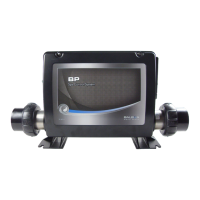
The module itself is identified as bwa™ Wi-Fi Module (50350). It connects to the spa control system via a Y-Splitter (25657) and a black Wi-Fi cable. The system requires a Balboa BP Spa Control System for compatibility. For the mobile application, the user needs a smart device running Android® (version 4.1 or newer is recommended, with prior versions needing to be deleted for proper upgrade). The smart device must have a wireless internet connection (3G, 4G, or Wi-Fi hotspot) to download the app and communicate with the module.

Usage Features:

Installation Process:

  1. Package Contents Verification: The package includes the bwa™ Wi-Fi Module (50350), a 1-2-3 Easy Installation Guide, and a bwa™ Welcome Kit, along with a Y-Splitter (25657).
  2. Connecting the Wi-Fi Module:
    • Safety First: Before connecting, ensure the spa is turned OFF. This is a critical safety step to prevent electrical hazards.
    • Physical Connection: Locate the Wi-Fi connector on the spa system. If it's not visible, an electrician or local spa technician should be contacted to connect it. Users are explicitly warned NOT to open the spa system or attempt to connect the Wi-Fi connector themselves due to high electrical voltage risks.
    • Module Insertion: Insert the Wi-Fi wire module into the designated connector. Ensure the clip is in the correct position. A "CLICK" sound indicates a secure connection.
    • Secure Connection Check: Gently pull on the wire after insertion to confirm the clip is securely in place and will not come loose.
    • Placement: The Wi-Fi module should be placed away from any metal tub supports to ensure optimal wireless signal strength and prevent interference.
  3. App Installation (Android®):
    • Device Requirement: A smart device running Android® is necessary.
    • Internet Connection: The device needs a wireless internet connection (3G, 4G, or Wi-Fi hotspot) to download the app.
    • Downloading the App:
      • Users can open Google Play on their Android® device.
      • Search for "BALBOA WATER GROUP" in the Google Play store.
      • Download the bwa™ app.
      • Alternatively, a QR code is provided in the guide to directly access the app store page.
    • App Version: To enjoy the new bwa™ for Android™ version 4.1, any prior bwa™ versions must be deleted, as 4.1 is not an automatic upgrade.
    • Verification: After downloading, a bwa™ icon should appear on the smart device's main screen. If the icon does not appear, users are instructed to repeat the download step.

Remote Control Capabilities:

Once the module is installed and the app is configured, users can:

  • Adjust spa temperature.
  • Control jets and pumps.
  • Manage spa lighting.
  • Access other programmable features of the spa control system.
  • Monitor spa status from a distance.

Maintenance Features:

The manual does not explicitly detail ongoing maintenance features for the Wi-Fi module itself, but rather focuses on the initial installation and setup. However, implied maintenance includes:

  • Software Updates: Keeping the bwa™ app updated to the latest version (e.g., Android™ version 4.1) ensures access to new features, bug fixes, and improved performance. Users are responsible for manually updating by deleting older versions and installing the new one.
  • Connection Integrity: Periodically checking the physical connection of the Wi-Fi module to the spa system to ensure it remains secure and free from damage.
  • Placement: Ensuring the module remains away from metal supports to maintain optimal wireless performance.

Safety Warnings:

  • Electrical Hazard: A prominent warning advises against opening the spa system or attempting to connect the Wi-Fi connector if it's not visible, due to the risk of high electrical voltage that can cause harm or death. This task should be performed by a qualified electrician or spa technician.
  • Spa Power Off: Always ensure the spa is turned OFF before performing any physical connections to the Wi-Fi module.

The bwa™ Wi-Fi Module aims to provide a seamless and convenient way for spa owners to interact with their spa, offering modern control capabilities through their personal smart devices.

Balboa Water Group BWA Specifications

General IconGeneral
BrandBalboa Water Group
ModelBWA
CategoryWireless Router
LanguageEnglish