MISCELLANEOUS MESSAGES
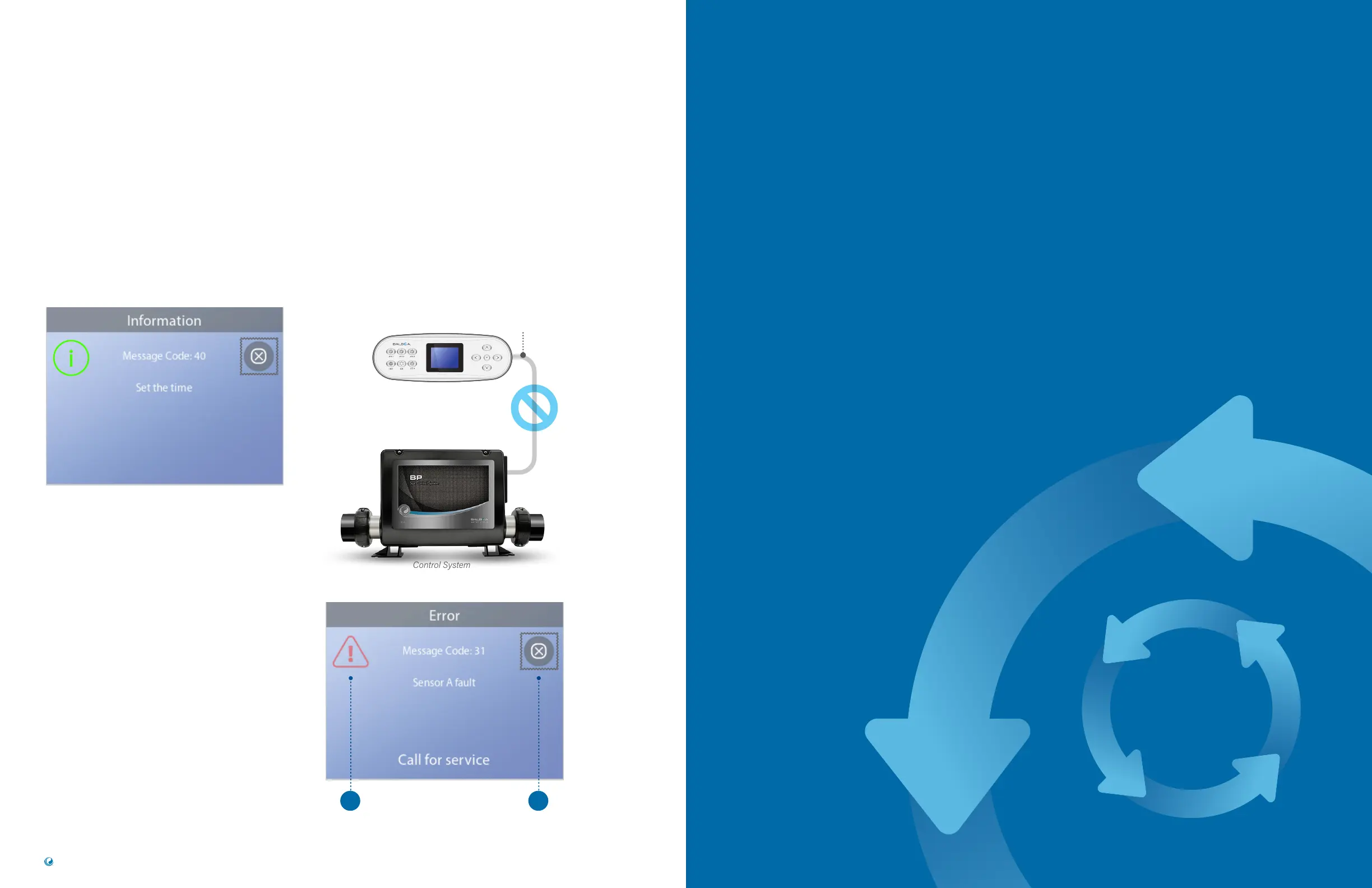
Set the Time-of-Day
When a control system that displays this message
is powered On, its time-of-day is initialized to 12:00
PM. Setting the proper time-of-day is important for
determining filtration times and other background
features (view page 11).
Communications error
The control panel is not receiving communication
from the Control System (view diagram below). This
can appear briefly during system start-ups. This is
normal. If it does not go away quickly,
Call for Service.
MESSAGE NOTES
Some messages include the “Call for Service” text as
it requires a service technician to fix the problem.
If the panel is locked and a message alert appears,
you will be taken to the Lock Screen (where you will
need to Unlock the panel) before you can clear
the message.
The Selection box defaults to the Clear or Exit
icon (A) on the Message screen. Press the LEFT
navigation button to move the Selection box to the
Error/Warning/ Reminder icon (B), and then press
the SELECT navigation button to go to the System
Information screen (view page 38).
37
TP700 USER GUIDE 42370 Rev A
36
Balboa Water Group | Your Single Source Solution
Control System
No Communications
Panel CablePanel
WATER FLOW
CHECK LIST
Make sure the spa is filled with enough water
to allow proper water flow through all of the
spa’s plumbing.
Closed valves can inhibit proper water flow.
Jets may be equipped with water valves. If too
many water valves are closed, proper water
flow may be inhibited.
Make sure suction covers are unobstructed
and free of debris.
One pump cycles water through the heater.
All plumbing connected to this pump and the
heater must be free from trapped air. Trapped
air can restrict proper water flow. Remove
trapped air by priming this pump.
PANEL MESSAGES (Continued)
B A


 To Next Page